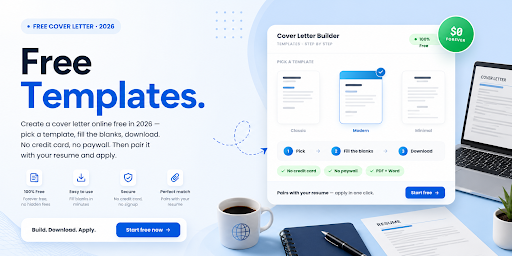
You can create a cover letter online for free, and it takes only a few minutes. There is no credit card needed, and no paywall waiting at the download. An online tool handles the formatting for you, so you focus on what you actually say. That alone saves hours of fiddling with margins and fonts.
This guide walks you through the whole process, step by step. You will pick a template, fill in each section, and finish with a letter that is ready to send. Better still, you will know how to pair it with your resume and apply, all in one place.
| Ready to start? Create your cover letter and apply on CloudColleague for free. |
Why Create a Cover Letter Online (Instead of Word)?
Building online simply beats formatting by hand. An online tool auto-formats every section, so your spacing and fonts stay consistent. It also keeps the layout intact, so one change does not break the whole page. As a result, you spend your time on content, not design.
A Word document, by contrast, leaves the formatting to you. One wrong margin or font swap can throw off the entire letter. For a 2026 job search, an online builder is the faster, cleaner choice. So let us walk through how to do it.
How to Create a Cover Letter Online for Free in 5 Steps?
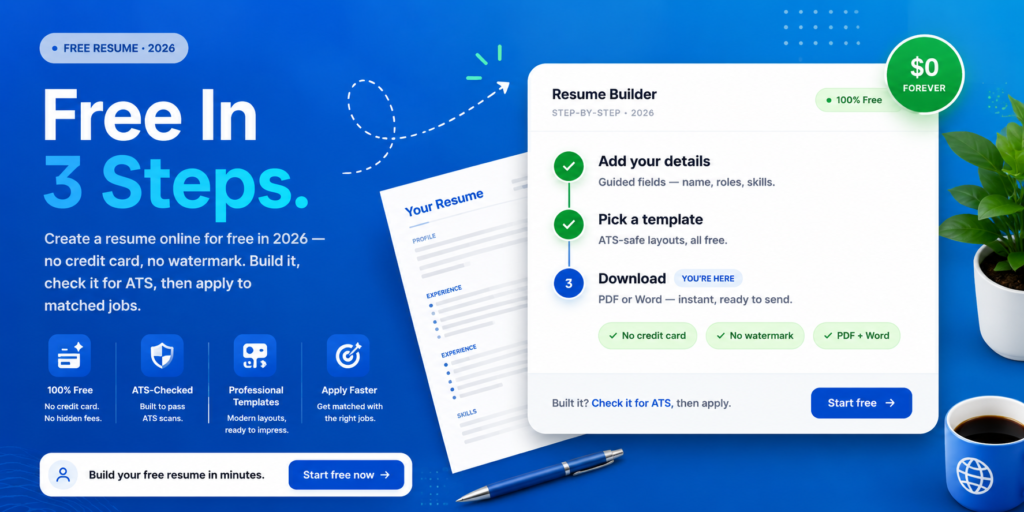
The whole process breaks into five simple steps. Follow them in order, and you will finish with a polished, ready-to-send letter. Each step takes only a few minutes.
Step 1: Choose a Free Cover Letter Builder or Template
Start by picking a genuinely free tool, one with no paywall at the download. Watch out for builders that let you write for free, then charge to export. For help choosing a clean layout, see our guide to the cover letter format. CloudColleague lets you build, pair, and apply in one place.
Step 2: Pick a Template That Matches Your Resume
Next, choose a template that matches your resume design. Matching documents look professional and cohesive, like one set. If you still need a resume, our guide on how to create a resume online covers it. Aim for the same font, colours, and header style across both.
Step 3: Fill In Each Section With Guided Prompts
Now build the letter section by section. Add your header, greeting, opening paragraph, body, and closing. Most online builders offer suggested phrases that beat staring at a blank page. For the writing technique behind each section, see our cover letter guide.
Step 4: Tailor It to the Job
This step lifts your letter from generic to compelling. Add the company name, the exact role title, and keywords from the job ad. A tailored letter beats a one-size-fits-all draft every time. To see why this matters, read our guide to common cover letter mistakes.
Step 5: Download Free and Apply
Finally, export your cover letter as a PDF or Word file. Then apply to roles while your letter is fresh and tailored. The faster you apply, the sooner the interviews come. You can browse and apply to live jobs in a few clicks.
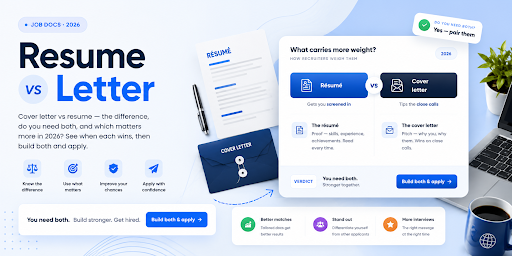
Read Next: Cover Letter vs Resume: What Matters More in 2026?
Free Cover Letter Templates by Situation
The right template depends on your story and your field. So pick one that fits your industry, style, and career stage. A focused template makes the writing faster and the result stronger.
Templates range from clean and traditional to modern and design-led. Choose a simple, ATS-safe layout for corporate roles, and a more visual one for creative fields. Whatever your situation, a good template gives you a proven starting point.
Cover Letter Template With No Experience
No experience is not a barrier, so do not worry. Lead with your education, projects, internships, and transferable skills. If you are new to the country or the local market, our guide for those starting their first job in Australia can help.
Cover Letter Template for Career Change
For a career change, choose a template with room for a strong opening. Use that space to frame your pivot and lead with transferable skills. Keep the structure standard, and let the content tell your story.
Read Next: Cover Letter Template That Pairs With an ATS Resume
Create a Cover Letter Online With AI (Safely)
AI makes online cover letters faster, as long as you stay in control. It drafts sections, tailors to a job, and suggests stronger wording in seconds. So use it to speed up the work, not to fake it.
However, keep your own voice and real stories throughout. Avoid the tells that scream AI, such as opening with “I am excited to apply.” Recruiters and screening tools both notice generic, machine-written text. So edit every draft, add your specifics, and make it sound like you. For more on this, see our cover letter guide.
Can You Create a Cover Letter Online Free With No Credit Card or Paywall?
This is the question most people worry about, so here is the honest answer. Yes, you can create a cover letter online completely free, with no credit card. However, many popular tools charge at the export step, or cap you at one or two free letters. You finish the letter, then hit a paywall just to download it.
So check the download terms before you start. Genuinely free tools let you build and export without a subscription. CloudColleague lets you create, pair, and apply for free, with no surprise paywall at the end.
Create, Pair With Your Resume, and Apply, All in One Place
Here is the part that saves you the most time. You do not need separate tools for your resume, your cover letter, and your job search. You need one place to do all three.
CloudColleague brings them together. You create your documents, pair a strong cover letter with your resume, and apply to AI-matched Australian roles in a few clicks. The platform reads your details to surface jobs that fit, so you stop scrolling and start applying. Explore how the platform works, or start as a job seeker today.
Creating a cover letter online for free is fast, simple, and well within reach. Choose a free template, match it to your resume, fill in each section, tailor it, and download. Then apply while it is fresh, and the interviews will follow.
| Want to be a freelancer? Start browsing freelace tasks on CloudColleague and bid on tasks to start your journey. |
| Are you actively hiring? Start as an employer on CloudColleague and start hiring employees now. |
Frequently Asked Questions
Choose a free builder or template, pick one that matches your resume, and fill in each section with guided prompts. Tailor it with the company name and keywords, then download and apply.
Yes, genuinely free tools exist and need no credit card. However, many charge at the download step, so read the terms first. CloudColleague lets you create, pair, and apply for free.
With the right tool, yes. Some builders let you write for free but lock the PDF behind a paywall. Choose one that allows a free download, or build it on CloudColleague.
Absolutely. Pick a template, then lead with your education, projects, volunteering, and transferable skills. Guided prompts help you describe limited experience with confidence.
You can create a free CloudColleague profile, pair your cover letter and resume, and apply to live Australian roles that match your skills.