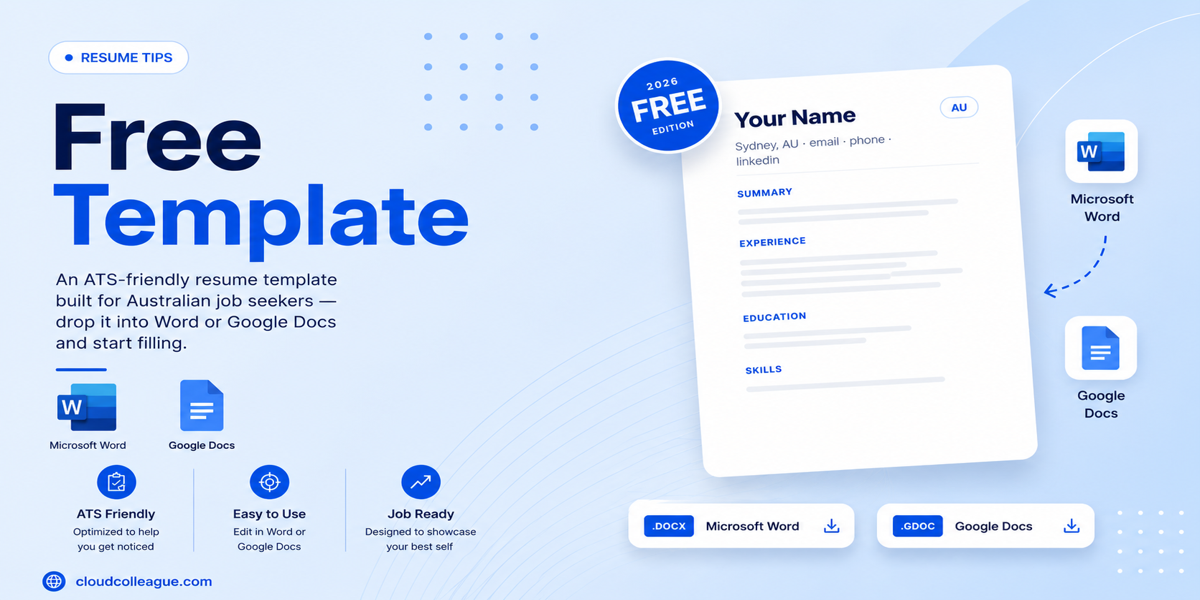
This page gives you a free ATS resume template for 2026 with no signup required, no account needed, no email address, and no credit card.
The template is built to Australian resume conventions: single-column layout, standard ATS section headings, Calibri 11pt body font, and a two-page structure for mid-career professionals. It is tested for compatibility with the ATS platforms used by major Australian employers including Workday, Taleo, and Greenhouse. Download it, make a copy, fill it in, and export as PDF or Word. The rest of this article explains how to use it correctly and what makes it genuinely ATS-safe for Australian applications.
Download the Template: No Signup, No Account, No Cost
Google Docs version (recommended): [Open the ATS Resume Template in Google Docs] [GOOGLE DOCS TEMPLATE LINK]
To use: Click the link, then go to File > Make a Copy. This saves your own editable copy to your Google Drive. The original stays unchanged.
Microsoft Word version: [Download ATS Resume Template (.docx)] [WORD DOWNLOAD LINK]
To use: Download the file, open in Word, and save a copy with your name in the filename before editing.
Three steps to a completed resume:
- Open the template and make a copy (Google Docs) or download and save a copy (Word)
- Replace every placeholder with your own information following the section guidance below
- Export as PDF (File > Download > PDF in Google Docs, or Save As > PDF in Word) and upload to SEEK or your target employer portal
Template downloaded. Now find Australian roles worth applying to. Browse AI-matched jobs on CloudColleague from 18,000+ verified Australian employers right now.Browse open roles on CloudColleague
Why Every Other “Free” Template Is Not Actually Free?
Before explaining what makes this template ATS-safe, it is worth naming why the competing templates in this search result are not delivering what the search intent promises.
Jobscan requires an account to download their templates. Rezi requires an account. Resume.io requires an account. Resumeworded charges for most of their templates. ResumeOptimizerPro uses their template page to funnel users into their paid tool.
This template is a direct Google Docs link. No form, no email address, no account, no trial. File > Make a Copy and it is yours. That is the only condition.
Read Next: HR Fresher Resume Template 2026: Free Editable Word Download for Australian Graduates
What Makes This Template ATS-Safe for Australian Applications?
Most templates claiming to be ATS-safe have never been tested against a real ATS parser. Here is precisely what makes this one safe and why each element matters.
Single-Column Layout Throughout
The template uses a single-column layout from top to bottom. No sidebars, no two-column sections, no text boxes alongside body content, no header or footer containing key information like contact details.
This is the most critical structural requirement for ATS compatibility. ATS systems extract text by reading sequentially from left to right, top to bottom, through the document structure. A two-column layout, even one that looks clean and readable to a human, breaks this sequential reading. The ATS reads across both columns simultaneously, producing scrambled output where the left column content and right column content are interleaved in a single string of text. Your job title and your dates end up mixed together. Your contact details appear in the middle of your work experience. The ATS cannot correctly categorise any of it.
A single-column layout means the ATS reads your resume in exactly the order you wrote it.
Standard Section Headings That Australian ATS Platforms Recognise
The template uses the following section headings, which are recognised by Workday, Taleo, Greenhouse, iCIMS, and SEEK’s internal processing:
- Professional Summary
- Work Experience
- Education
- Skills
- Certifications
- Volunteer Experience
These headings are what ATS systems are programmed to identify and categorise. When an ATS encounters “Work Experience,” it knows to classify the content that follows as employment history. When it encounters “Education,” it knows to classify the degree, institution, and graduation year as academic credentials.
Creative alternatives like “My Story,” “What I Bring,” “Career Highlights,” “My Journey,” or “Professional Background” are not in the ATS recognition library for most Australian employer systems. Content under these headings is either filed in a miscellaneous category or missed entirely. This is not a theoretical risk. It is a documented, consistent ATS behaviour.
Use the standard headings. They are not limiting. They are the language the systems were built to read.
Calibri 11pt Body Font
The template uses Calibri at 11pt for body text and Calibri at 13 to 14pt for section headings. Calibri is universally supported, pre-installed on Windows and available on Mac, recognised by all ATS systems, and renders consistently across Word, Google Docs, and PDF export.
Decorative fonts, specialty display fonts, or fonts downloaded from third-party sources risk rendering as symbols, question marks, or blank space when the ATS processes the underlying document structure. Arial, Calibri, and Georgia are the safest font choices for Australian ATS applications. The template uses Calibri by default. You may substitute Arial without any ATS risk.
No Images, Icons, or Graphics
The template contains no profile photo, no icons beside section headings, no progress bars representing skill levels, no decorative lines, and no graphic elements of any kind.
ATS systems cannot extract text from images. Any graphic element in your resume, from a simple icon to a skills rating bar, is completely invisible to ATS processing. It does not cause errors. It simply does not exist in the parsed output. The ATS reads around it as if it were blank space.
Several popular resume template styles in 2026 use icon sets beside contact details, graphical skill ratings, or decorative dividers. All of these elements are invisible to ATS systems and some cause parsing disruption in the text immediately surrounding them.
No Tables
The template does not use tables to create alignment or multi-column effects. Many resume templates use invisible tables to create two-column layouts for contact information blocks or skills lists. These tables cause the same sequential reading disruption as two-column layouts, even when the table borders are hidden and the result looks like a single-column layout to the human eye.
All alignment and spacing in this template is achieved through standard paragraph formatting, tabs, and line spacing. No table structure anywhere in the document.
Read Next: Teal Resume Builder Review 2026: Free Plan vs Paid, What You Get (Australian Edition)
The Template Structure: Section by Section
Here is the complete structure of the template with guidance on how to fill in each section for Australian applications.
Header: Your Contact Information
Format:
[YOUR FULL NAME] — 16pt Calibri, bold, centred
[City, State/Territory] | [Mobile: 04XX XXX XXX] | [your.email@email.com] | [linkedin.com/in/yourname]
Australian-specific notes:
Do not include your date of birth, gender, or marital status. These are not expected on Australian resumes and their inclusion can invite unconscious bias at the shortlisting stage without providing any professional value.
Do not include a profile photo unless you are applying for an acting, presenting, or modelling role where appearance is a direct vocational requirement.
Your suburb and state are sufficient for location. A full street address is not required and represents an unnecessary privacy exposure on a document submitted to many employers.
Use Australian mobile format (04XX XXX XXX) not international format (+61 4XX XXX XXX) for domestic applications. International format is appropriate when applying to roles with significant overseas operations.
Professional Summary: 3 to 4 Sentences
Your professional summary appears immediately below your contact details and is the first substantive content any ATS or recruiter reads.
Write in third-person implied voice (no “I,” “me,” or “my”). Structure it as follows:
Sentence 1: Your role level, years of experience, and primary domain. “Financial analyst with six years of experience in corporate treasury and FX risk management across ASX-listed energy companies.”
Sentence 2: Your most significant quantified achievement. “Designed and implemented an automated currency exposure dashboard that reduced manual reporting time by 70% and enabled daily rather than weekly risk visibility.”
Sentence 3: Your target role and specific value. “Targeting senior financial risk management roles in the Australian energy and resources sector where analytical depth and systems capability are primary requirements.”
Sentence 4 (use only for career changers or returners): Brief transition context. “Following 14 months of parental leave, returning to the workforce with current skills and a clear focus on my target sector.”
Work Experience: Reverse Chronological
For each role, use this format:
Job Title | Employer Name | City, State | Month Year to Month Year (or Present)
[Employer context line if employer is not well-known: “XYZ Consulting is a boutique strategy firm specialising in government sector advisory with 45 staff across Sydney and Melbourne.”]
Then three to five bullet points, each starting with a past-tense action verb (for previous roles) or present-tense action verb (for your current role). At least two of your three to five bullets should include a specific metric.
Strong bullet example: “Negotiated a three-year supply agreement with a key raw materials supplier, reducing unit costs by 14% and securing guaranteed volume allocations valued at AUD $8.2M annually.”
Weak bullet example: “Managed supplier relationships and negotiated contracts to improve cost outcomes.”
The strong version has a timeframe (three years), a specific outcome (14% cost reduction), and a financial scale (AUD $8.2M). The weak version has none of these and could describe anyone in any procurement role at any seniority level.
Australian length conventions:
- Graduates and early career (0 to 3 years): target one page.
- Mid-career professionals (3 to 15 years): target two pages.
- Senior professionals and executives (15+ years): two to three pages acceptable.
Do not force a one-page limit if you have ten years of relevant experience to document. A two-page resume from a mid-career professional is the Australian professional norm.
Education
Format:
[Degree] | [Institution] | [Graduation Year] WAM: XX/100 (include if above 70 and within the last ten years) [Relevant award or scholarship if applicable: one line maximum]
Australian-specific notes:
Use WAM (Weighted Average Mark), not GPA. GPA is a US academic grading system. Australian employers use WAM. If your WAM is below 65, omit it. If your graduation was more than ten years ago, omit the WAM. The degree and institution alone are sufficient.
Do not include your high school certificate unless you are a recent graduate with no other qualifications.
Skills
List technical and hard skills only. Soft skills (communication, leadership, teamwork, problem-solving) are better demonstrated through achievement bullet points in your Work Experience section than listed here. A recruiter who sees “strong communicator” in a skills list learns nothing. A recruiter who reads “facilitated 12 cross-functional workshops attended by 40 to 80 senior stakeholders across three business divisions” understands your communication capability in context.
Format your skills as a simple comma-separated list or a clean two-column text block within a single text paragraph. Do not use a table for skills. Common formatting: Industry: [tools, systems, platforms]. Methodology: [frameworks, approaches].
Certifications (Include Only if Applicable)
Format:
[Certification Name] | [Issuing Body] | [Year Obtained]
Include only current, relevant certifications. Expired certifications should not appear unless you note that renewal is in progress. For Australian certifications, include TAFE qualifications, industry body credentials, and professional designations in this section.
Volunteer Experience (Include Only if Relevant)
Include volunteer roles that involved substantive professional activity: board membership, treasurer or financial controller role, event management, community coaching, formal mentoring. Apply the same bullet point structure as Work Experience.
Template are ready for resume? But you want to gain some experience doing industry level short tasks? Browse freelance tasks on CloudColleague.
How to Verify Your Completed Resume is ATS-Safe? The Copy-Paste Test
Before submitting your completed resume to any Australian employer portal, run this 60-second test. It tells you definitively whether your resume will parse correctly in an ATS.
- Step 1: Open your completed resume PDF in any PDF viewer.
- Step 2: Press Ctrl+A (Windows) or Command+A (Mac) to select all text in the document.
- Step 3: Copy the selected text (Ctrl+C or Command+C).
- Step 4: Open a plain text editor. Notepad on Windows. TextEdit in plain text mode on Mac. Any text-only editor works.
- Step 5: Paste the copied text (Ctrl+V or Command+V) and read through the result.
What you are looking for: The text should appear in the correct reading order, matching the sequence of your resume from top to bottom. Your name and contact details should appear first. Your summary second, and your work experience third. Each role should appear with its title, employer, dates, and bullet points in sequence.
What a problem looks like: Garbled text. Information from the right column appearing between left-column content. Dates appearing before job titles. Bullet points separated from their roles. Names of sections missing. Symbols appearing where formatting elements were.
If the copy-paste test produces clean, correctly sequenced text, your resume will parse correctly on every major Australian employer ATS. If it produces garbled output, you have a formatting issue to fix before submitting.
The template provided above passes this test. Run it on your completed version before your first submission.
Read Next: Jobscan Review 2026: Still the Best ATS Optimizer?.
Australian-Specific Resume Rules for 2026
These are the conventions that distinguish an Australian resume from a US or UK resume and that no competing template article addresses.
No photo: Do not include a profile photo. Photos are not expected on Australian professional resumes and their inclusion can invite unconscious bias in shortlisting. The exception is acting, modelling, and presenting roles where appearance is a direct vocational requirement.
No date of birth: Do not include your date of birth. The Age Discrimination Act 2004 protects Australian workers from age-based employment discrimination. Including your DOB is unnecessary and can invite the very bias the legislation is designed to prevent.
No marital status or gender: These are personal details with no relevance to professional capability. Australian employers do not expect or require them.
No references or “references available on request”: Australian employers ask for references when they need them, typically after a successful interview. Listing references or the request line wastes space and signals an outdated resume approach.
WAM not GPA: Australian academic performance is measured by Weighted Average Mark. If you studied in Australia, use WAM. If you studied internationally, use the equivalent measure from your academic system and label it clearly.
SEEK compatibility: Save your completed template as a PDF and upload it to your SEEK profile. SEEK accepts both PDF and DOCX uploads and converts all submissions to a standardised display format for employer viewing. A single-column PDF from this template displays and parses correctly on SEEK.
Superannuation, TFN, and tax details: Do not include your tax file number, superannuation fund details, or any entitlement information. These are processed after you accept an offer, not during the application process.
How to Use This Template for Different Career Stages?
Graduates and Early Career (0 to 3 Years)
Target one page. Lead with your Professional Summary, then Education (including WAM if above 70 and recent), then Work Experience (including internships, part-time roles, relevant casual work, and any formal volunteer experience), then Skills.
If your work experience section is limited, expand your Education section to include relevant coursework, academic projects, exchange programs, and academic achievements that demonstrate capability. Remove the Certifications section if you have none. The two-page template contracts naturally to one page when content is limited.
Mid-Career Professionals (3 to 15 Years)
Target two pages. All sections apply. Summarise roles from more than ten years ago in two to three bullet points rather than five. Move Education below Work Experience once you have more than three years of professional experience. Your track record is now more relevant than your academic credentials.
Keep your most recent two to three roles at full length with five bullet points each. Earlier roles can be condensed progressively.
Senior Professionals and Executives (15+ Years)
Two to three pages is appropriate and expected. Add a Board and Governance section after Work Experience if you hold directorships, advisory positions, or significant committee roles. Summarise roles from more than fifteen years ago in an Earlier Career section listing employer, title, and dates only, with no bullet points.
Your executive summary should name your leadership scale (team size, budget ownership, organisational scope), state your P&L responsibility in AUD, and include your most significant senior-level achievement. Domain authority and scale progression should both be visible from the first paragraph.
Uploading to Australian Employer Portals and SEEK
SEEK: Upload your PDF directly to your SEEK candidate profile and to each application. SEEK converts all uploads to a standardised display format. Your single-column PDF parses correctly.
Workday (used at Commonwealth Bank, Westpac, ANZ, NAB, most Big 4 consulting firms): Upload your PDF or DOCX directly. Workday parses single-column layouts correctly. Run the copy-paste test before submitting to any Workday portal.
Taleo (used at BHP, Rio Tinto, Woodside, and some government departments): Taleo is more sensitive to formatting issues than Workday or Greenhouse. The single-column template is safe. Avoid any formatting elements that did not exist in your copy-paste test output.
Greenhouse (used at Atlassian, Canva, REA Group, SEEK as an employer, and most Australian tech companies): Greenhouse handles single-column text-based PDFs reliably. Focus on keyword relevance and writing quality for Greenhouse applications alongside ATS formatting.
CloudColleague: Upload your completed resume to your CloudColleague seeker profile. CloudColleague’s AI matching evaluates your skills and experience profile and surfaces you to relevant Australian employers actively hiring. A complete, ATS-formatted resume alongside a complete skills profile produces the best matching results.
Resume complete. Now create your CloudColleague profile and get matched to Australian employers. Join 18,000+ verified Australian employers using CloudColleague to find the right candidates. Create your free seeker profile today.Get started free on CloudColleague
Hiring and need great candidates? Post a role on CloudColleague in under five minutes. Smart matching surfaces pre-vetted professionals across every Australian industry.Start hiring on CloudColleague
Frequently Asked Questions
Yes. In this free ATS resume template guide, the Google Docs version opens directly in view mode. You simply select “Make a Copy” to save it to your Drive. The Word version downloads directly with no email signup, subscription, or credit card required.
Use the copy-paste test. Open the PDF, copy all text, and paste it into a plain text editor. If the text appears in the correct order and remains readable, the resume is ATS-compatible. If formatting breaks or text appears scrambled, adjust the layout before applying.
PDF is the safest default for Australian applications because it preserves formatting across all devices and ATS platforms. Use DOCX only when the employer specifically requests a Word file.
Yes. SEEK accepts both PDF and DOCX uploads, and the single-column layout parses correctly through SEEK and most Australian ATS systems.
One page suits graduates and early-career candidates. Two pages is standard for most professionals. Senior candidates with extensive leadership experience may use two to three pages. Australian recruiters generally expect more detail than US-style one-page resumes for experienced professionals.