Most Jobscan reviews are written by affiliate partners or competing products. This one is neither.
Jobscan has been the default ATS optimisation tool since 2015 and it earns that position for specific use cases. But it is not the right tool for every Australian job seeker in 2026.
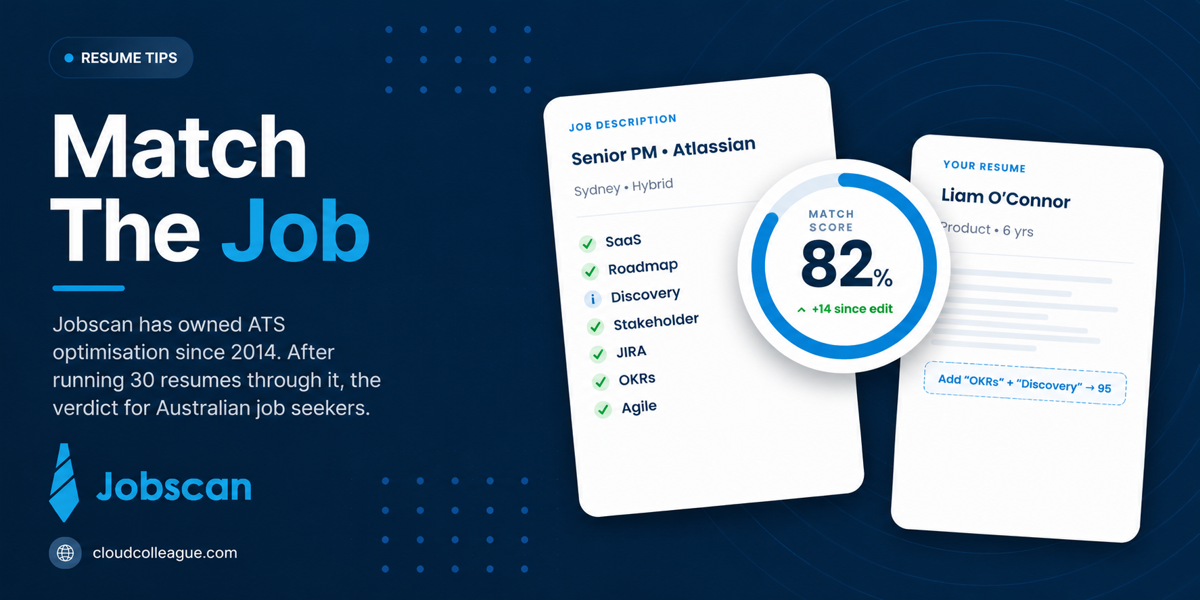
The most important thing to know before spending money on Jobscan: an 80% match score is the target, not 90% or higher. Chasing a perfect score pushes you toward keyword stuffing that makes your resume worse for the human recruiter who reads it after the ATS clears it. Several users report reaching 80% or higher match scores and still receiving zero interview callbacks, which is the most important data point this review can give you upfront.
Here is the honest breakdown of what Jobscan delivers, who should pay for it, and who should skip it in 2026.
Looking for the right Australian roles to optimise your resume toward? Browse AI-matched jobs on CloudColleague. Applying to the right targets matters more than any match score.Browse open roles on CloudColleague
What Jobscan Is and How It Works?

Jobscan is an ATS optimisation tool. You paste your resume and a target job description. Jobscan generates a Match Report showing how well your resume’s keywords align with the job description, flags missing keywords, identifies formatting issues that break ATS parsing, and suggests specific improvements.
In 2026, Jobscan has expanded well beyond its original keyword scanner. The full platform now includes a resume builder, a cover letter generator, a LinkedIn profile optimiser, a job tracker, and an AI rewriting tool called One-Click Optimize powered by GPT-4.
The core proposition remains unchanged since 2015: paste resume, paste job description, see the gap, close the gap. Whether the 2026 additions justify the premium pricing over free alternatives is the question this review answers.
Read Next: LockedIn AI Review 2026: Does It Actually Help in Interviews? (Honest Assessment)
How We Evaluated Jobscan?
What we did: We reviewed Jobscan’s publicly available feature set, pricing structure, and 7-day premium trial capabilities as of mid-2026. We analysed review data from Trustpilot (4.5/5) and Sitejabber (3.6 to 4.43/5 depending on the source and review period, from 1,600 to 1,700 reviews), and cross-referenced findings with independent analysis from Careery, Scoutify, and aicontent-tools.
What we did not do: We did not receive any compensation from Jobscan or any competing tool. Where we cite Jobscan’s own claim of 3x more interviews for optimised users, we note it as self-reported data, not an independently verified outcome.
What we have no interest in: We have no commercial relationship with Jobscan, Resumeworded, Teal, SkillSyncer, or any other tool mentioned in this article.
Feature Review: What Jobscan Actually Delivers in 2026?
ATS Resume Scanner: The Core Feature
Jobscan’s Match Report is the reason most people pay for the product. You paste your resume and a target job description and receive a percentage match score with a breakdown of matched keywords, missing keywords, and formatting issues that could break ATS text extraction.
The Match Report is strongest for legacy ATS platforms. Jobscan maintains a proprietary database of ATS platform behaviours and calibrates its scoring against how each system parses and weights keywords. For Taleo, Workday, SAP SuccessFactors, and iCIMS, the Match Report provides meaningfully specific guidance on what to add and where to add it.
For Australian job seekers targeting large corporates in banking (Commonwealth Bank, Westpac, ANZ, NAB use Workday), resources (BHP, Rio Tinto, Woodside commonly use Taleo), and professional services (most Big 4 firms use structured enterprise ATS), this specificity is genuinely useful.
The critical limitation in 2026: modern ATS platforms including Greenhouse and Lever use semantic matching that evaluates contextual relevance and language quality rather than keyword frequency. For Australian job seekers applying to technology companies including Atlassian, Canva, REA Group, SEEK, and most growth-stage startups that use Greenhouse, Jobscan’s keyword-density approach is misaligned with how those systems actually evaluate resumes. Optimising for Jobscan’s match score at these employers may not improve your actual ATS performance and may worsen your writing quality in the process.
The Score Target That Changes How You Use This Tool?
This is the most important insight in this review, and it is either buried or absent in most competing articles.
Jobscan’s own Help Centre content, supported by consistent findings from independent analysis at Careery and Scoutify, confirms that 75% to 80% is the effective match score target for most applications. Specifically:
Careery’s analysis notes that candidates can reach 80% or higher match scores and still receive zero callbacks, which highlights Jobscan’s fundamental limitation: it optimises for ATS keyword scoring, not for the human recruiter who spends six seconds skimming your resume after it clears the ATS filter.
Chasing scores above 90% pushes candidates to incorporate every keyword in the job description, including nice-to-have terms buried in bloated postings. This produces bullet points that are technically keyword-optimised but read as generic or unnatural to the recruiter who sees the resume next. Jobscan’s own content warns against keyword stuffing and adding skills you do not have.
The practical guidance: use Jobscan to close the gap from below 70% to 75-80%. Stop at that point and invest the remaining time in making your bullet points more specific, more quantified, and more compelling for the human reader. A resume that scores 82% and reads powerfully will consistently outperform one that scores 96% but reads like a keyword list.
One-Click Optimize: Useful Starting Point, Not a Final Product
Jobscan’s One-Click Optimize feature uses GPT-4 to automatically rewrite resume content by incorporating missing keywords from the Match Report. For candidates who score below 65% on a target role and need significant restructuring of multiple bullet points, the feature can meaningfully reduce the time investment of manual optimisation.
The consistent limitation across reviews: One-Click Optimize can produce generic language that sounds less like the candidate’s authentic voice and more like every other AI-assisted application. Reviewers at ResumeHog and aicontent-tools both flag this as a watch-out that requires active post-processing.
Treat One-Click Optimize as a first draft that identifies where keywords need to go and provides a structural rewrite to build from. Never submit the output unchanged. Always read each rewritten bullet and personalise the language with the specific metrics, context, and authentic voice that make your experience distinct.
It works best for bullet points that are below 65% keyword alignment and need significant revision. It works less well for bullet points that are already well-written and specific, which the AI may genericise in the process of adding keywords.
Formatting Analysis: Immediately Valuable and Available Free
Jobscan’s formatting check flags tables, text boxes, headers and footers with key information, images, unusual fonts, and other structural elements that cause ATS parsing errors. This feature is available on the free tier and is among the most immediately useful elements of the platform.
A resume that passes Jobscan’s formatting check is ATS-safe for text extraction. The formatting check does not address keyword alignment, but confirming that the ATS can read your document at all is the prerequisite for every other optimisation. Running the formatting check before any application to a large Australian employer is worth doing even if you do not use any other Jobscan feature.
LinkedIn Optimizer, Cover Letter Generator, Job Tracker
These additional features exist in the premium tier. Each is functional and reasonable for its purpose. None is the strongest available tool in its category.
The LinkedIn Optimizer checks your profile for keyword gaps against target roles. It is useful but less comprehensive than a dedicated LinkedIn review with a human consultant or career coach. The cover letter generator produces AI-assisted drafts that require personalisation before submission. The job tracker manages your application pipeline but is less capable than Teal or Huntr for Australian job seekers who want SEEK integration or Kanban visual pipeline management.
For candidates who want one tool that covers all these functions in one place, Jobscan’s suite is convenient. For candidates who want the strongest available tool for each specific function, the individual alternatives outperform Jobscan’s secondary features while delivering comparable core ATS functionality at lower or zero cost.
Optimising your resume toward a specific target? Make sure those targets are the right roles. Browse AI-matched Australian jobs on CloudColleague. The right role matters more than the perfect score. Start as a Seeker on CloudColleague.
Pricing in AUD: The Full Breakdown
All Jobscan pricing is in USD. Here are the AUD equivalents at current exchange rates.
Free tier: 5 resume scans per month and a 7-day premium trial. The free tier is genuinely useful for casual job seekers applying to fewer than five roles per month. It also provides access to the formatting analysis on every scan, which is one of the most practically valuable free features available in any ATS tool.
Monthly plan: USD $49.95 per month, approximately AUD $77 per month. The most expensive option on a per-month basis and the hardest to justify for most users when the annual plan is available.
Quarterly plan: USD $89.95 billed every three months, approximately AUD $139 per quarter. Better than monthly but still meaningfully more expensive than the annual plan on a monthly basis.
Annual plan: USD $179 per year, approximately AUD $276 per year, or approximately AUD $23 per month. This is the correct comparison point for any candidate planning an active search of three months or more.
The annual plan at approximately AUD $276 is a reasonable investment for an active job seeker applying to more than five targeted roles per month who is primarily targeting large Australian corporates using Taleo or Workday. Monthly billing at approximately AUD $77 is the least cost-effective option and should be avoided unless you have a specific short-term need.
Jobscan vs Free Alternatives for Australian Users
The honest question for any Australian job seeker is whether Jobscan’s paid features produce meaningfully better outcomes than free alternatives.
Resumeworded (Free: 5 Full Reviews Per Month)
Resumeworded’s free tier provides five full targeted resume reviews per month with line-by-line bullet point scoring and keyword gap analysis against a specific pasted job description. The keyword gap feedback is comparable to Jobscan’s Match Report for identifying missing terms.
Resumeworded adds something Jobscan’s scanner does not provide: line-by-line assessment of whether your bullet points use strong action verbs, include measurable results, and avoid passive language. For candidates whose primary bottleneck is writing quality rather than keyword alignment, Resumeworded’s feedback is more directly useful than Jobscan’s match score.
The limitation: five scans per month runs out quickly for high-volume applicants. This is where Jobscan’s unlimited scan tiers add genuine value.
Teal (Free: Unlimited Keyword Gap Analysis)
Teal’s free tier provides unlimited keyword gap analysis per saved job description with a Chrome extension that supports direct saving from SEEK listings. For Australian job seekers applying through SEEK, Teal’s workflow is more directly integrated than Jobscan’s copy-paste interface.
Teal’s keyword analysis is less detailed than Jobscan’s Match Report. It does not include the ATS platform database that allows Jobscan to specify which keywords matter most for Taleo versus Workday versus Greenhouse. But for most Australian job seekers applying to a focused set of targeted roles, Teal’s free keyword analysis covers the core use case.
When Jobscan Is Worth Paying For Over Free Alternatives
You are applying to more than five roles per month consistently and exhaust the free tier limits of both Resumeworded and Teal. Or you specifically need the ATS platform identifier to know which system a target employer uses and calibrate your optimisation accordingly. You want the convenience of One-Click Optimize for rapid first-draft keyword integration across many applications. Or you are applying primarily to large Australian corporates using Taleo or Workday where Jobscan’s database accuracy is highest.
Read Next: Best Free ATS Resume Checker in 2026: Tested and Ranked.
The Trustpilot Reality: What the Reviews Tell You
Jobscan holds a 4.5-star rating on Trustpilot and a 3.6 to 4.43-star rating on Sitejabber from 1,600 to 1,700 reviews depending on the source and review period. Both ratings reflect a platform that consistently delivers on its core promise for candidates in the right use case.
What Positive Reviewers Consistently Describe?
Reviewers describe the Match Report as providing clear, actionable guidance that they could implement immediately. Several describe moving from a score below 60% to above 75% and subsequently receiving interview callbacks that they had not been receiving before. The formatting analysis is praised as a practical tool for identifying errors they had not noticed.
The strongest positive sentiment concentrates on candidates applying to large corporate employers with structured ATS systems, which aligns precisely with where Jobscan’s database is most accurate.
What Critical Reviewers Consistently Describe?
The most important critical pattern: some users report reaching 80% or higher match scores and still receiving zero interview callbacks. This is the clearest evidence that Jobscan optimises for ATS keyword scoring rather than overall application quality. High Jobscan scores do not guarantee human recruiter interest in the document after it clears the ATS.
Several reviewers describe One-Click Optimize output as generic and clearly AI-generated, which aligns with the review warnings from aicontent-tools and ResumeHog. The tool works but requires active post-processing to produce authentic, personalised output.
The Verdict: Is Jobscan Still the Best ATS Optimizer in 2026?
For Legacy ATS Platforms: Yes
Jobscan retains its position as the most precise keyword-density matching tool for Taleo, Workday, SAP SuccessFactors, and iCIMS. Its ATS platform database is its most defensible differentiator. For Australian job seekers applying to large banks, resources companies, and professional services firms that use these legacy systems, Jobscan’s paid tier provides accuracy that free tools match less reliably.
For Modern Semantic ATS: Not the Best Choice
Australian job seekers applying to technology companies including Atlassian, Canva, REA Group, SEEK, and most growth-stage startups that use Greenhouse or Lever, Jobscan’s keyword-density approach is misaligned with how those systems actually evaluate resumes. Writing quality, contextual relevance, and authentic voice matter more in semantic matching than raw keyword frequency. Tools focused on writing quality improvement (Resumeworked’s line-by-line feedback) and contextual clarity are more directly useful for these applications.
Jobscan IS Worth Paying For If:
- You are applying to more than five targeted roles per month at large Australian corporates using Workday or Taleo.
- You want the ATS platform identifier to know precisely which system each employer uses before optimising.
- You choose the annual plan at approximately AUD $276 rather than the monthly plan at approximately AUD $77.
- You use the Match Report to target 75-80% scores, not to chase 90% or higher.
- You treat One-Click Optimize as a starting draft that requires personalisation, not a finished document.
Jobscan Is NOT Worth Paying For If:
- You are applying primarily to Australian tech companies using Greenhouse or Lever, where semantic matching makes keyword density less relevant.
- You are applying to fewer than five roles per month and the free tier covers your needs.
- Your resumes are already scoring 70% or higher before optimisation, where the marginal return on additional scans is lower.
- You need line-by-line writing quality feedback rather than keyword gap identification (use Resumeworded instead).
- You want a SEEK-native workflow (use Teal’s Chrome extension instead).
What Australian Job Seekers Specifically Need to Know
The ATS platform landscape for major Australian employers is more specific than most candidates realise, and it directly determines whether Jobscan is the right tool for your specific target list.
Workday
Workday is used at Commonwealth Bank, Westpac, ANZ, NAB, and most Big 4 consulting firms. Jobscan’s database is strong for Workday optimisation. Applications to these employers are where Jobscan’s paid tier produces the most defensible return on investment.
Taleo
Taleo is used at BHP, Rio Tinto, Woodside, and older enterprise and government environments. Jobscan’s database covers Taleo well. For resources sector candidates, Jobscan’s ATS-specific scoring is more directly useful than generic keyword tools.
Greenhouse
Greenhouse is used at Atlassian, Canva, REA Group, SEEK, Culture Amp, and most Australian technology companies and growth-stage startups. It uses semantic matching rather than keyword density. For these employers, optimising for writing quality, authentic voice, and contextual relevance produces better ATS performance than maximising a Jobscan match score.
iCIMS
iCIMS is used in retail, logistics, and some healthcare environments in Australia. Jobscan covers iCIMS in its database with reasonable accuracy.
SEEK
SEEK itself does not use a single ATS system. Employers who receive applications through SEEK use their own internal ATS, which varies by company. Jobscan’s workflow requires manual copy-paste of SEEK job descriptions, which is less efficient than Teal’s SEEK Chrome extension. For SEEK-heavy job searches, Teal’s free unlimited keyword analysis provides a more integrated workflow.
CloudColleague
CloudColleague’s AI matching evaluates skills and experience profiles rather than keyword density. Jobscan-optimised resumes upload correctly to CloudColleague in PDF and Word format, but CloudColleague’s matching algorithm operates differently from ATS keyword screening. Having a complete, skills-based CloudColleague profile is complementary to rather than replaced by Jobscan optimisation.
Resume optimised and ready. Now find Australian employers actively hiring. Create a free verified profile on CloudColleague and get AI-matched to 18,000+ verified Australian employers right now.Get started free on CloudColleague
Hiring and need great candidates? Post a role on CloudColleague in under five minutes. Smart matching surfaces pre-vetted professionals across every Australian industry.Start hiring on CloudColleague
Frequently Asked Questions
In this Jobscan review, the free tier is enough for many users. Jobscan offers five free resume scans per month plus formatting analysis. Premium features, including Match Reports and LinkedIn optimisation, require a paid plan after the 7-day trial.
Aim for 75–80%. This range usually balances ATS keyword alignment with strong readability. Chasing extremely high scores often creates unnatural, keyword-heavy resumes that perform worse with human recruiters. Once your score is solid, focus on measurable achievements and clear writing.
Yes. Job descriptions from SEEK can be pasted into Jobscan manually for analysis. However, it does not integrate directly with SEEK listings, making the workflow slower for high-volume applications.
Jobscan is stronger for ATS keyword matching, especially for systems like Workday and Taleo. Resume Worded is stronger for writing quality feedback, helping improve bullet points, action verbs, and measurable results. Using both together often produces better outcomes.
For many Australian tech companies using Greenhouse or Lever, writing quality and contextual relevance matter more than keyword density. In these cases, Resume Worded or strong manual tailoring may provide better value than a full Jobscan subscription. The free Jobscan tier is often enough for occasional ATS checks.