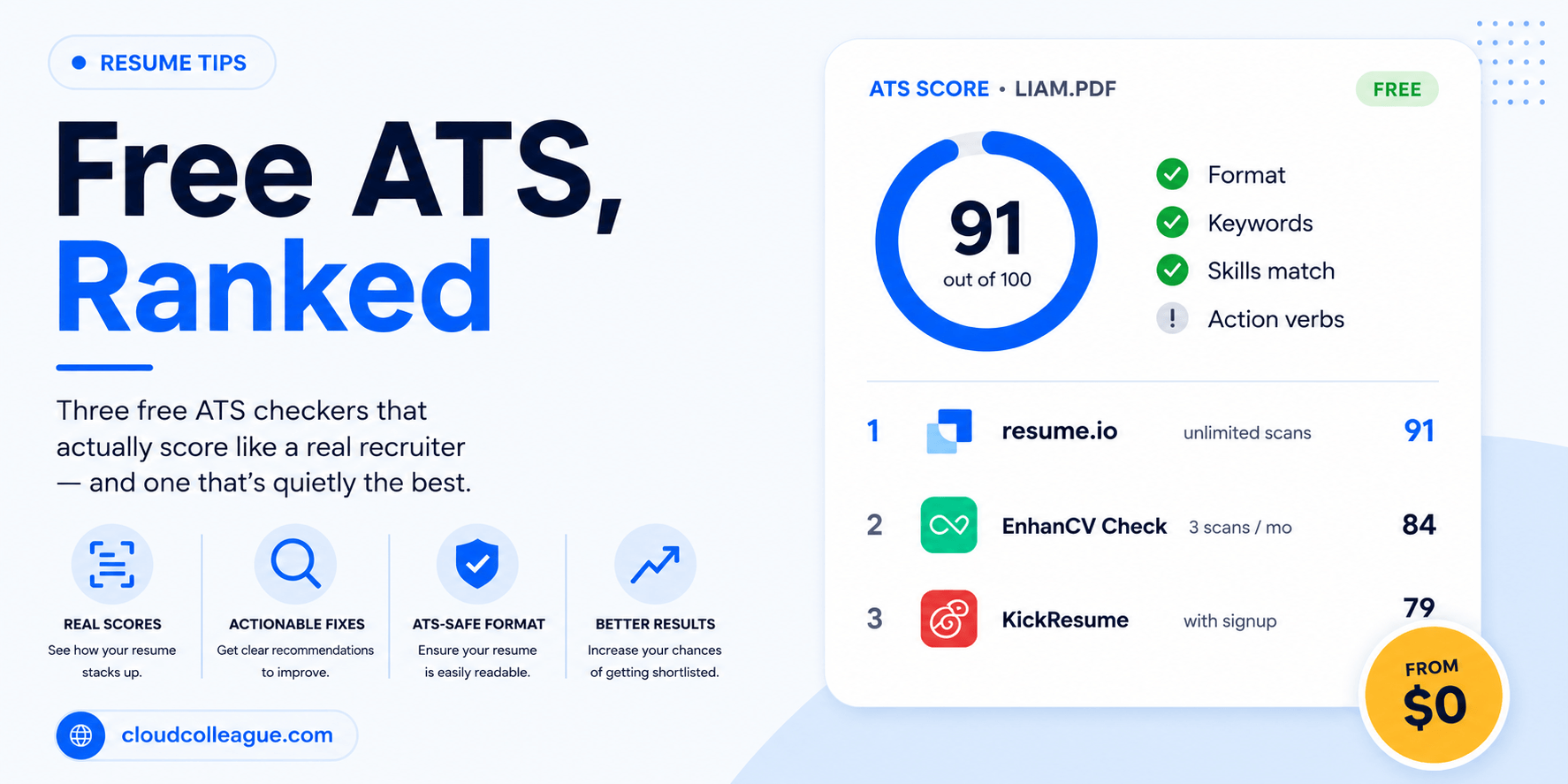
The best free ATS resume checker is not the one that gives you the highest score. It is the one that gives you the most accurate and actionable feedback.
Here is what most articles do not tell you: the same resume produces scores that vary by up to 18 percentage points across different ATS checkers. A 90% score on one tool does not mean a 90% match in Workday or Greenhouse. No third-party checker has access to the proprietary algorithms that the ATS systems your target employers actually use. The score is an approximation. The specific, actionable feedback is what matters.
In this guide, we tested the best free ATS resume checkers available to Australian job seekers in 2026. We uploaded the same resume to each tool, used a real SEEK job description as the keyword source, and evaluated each tool on what it actually delivers for free. Here is the honest verdict.
Already optimising your resume? Make sure you are applying to the right Australian roles at the same time. CloudColleague AI-matches professionals to verified employers across every industry.Browse AI-matched roles on CloudColleague
What a Free ATS Resume Checker Actually Does (And What It Cannot)
Before comparing any tool, it is worth understanding exactly what these tools check and where their limitations sit. This changes how you interpret any score you receive.
The Three Things These Tools Check
Most ATS resume checkers address three distinct layers of resume optimisation.
The first is formatting and parsability. This checks whether an ATS system can extract text correctly from your file. It flags multi-column layouts, text boxes, tables, images, non-standard fonts, and headers and footers that break ATS text extraction. A resume with great content that fails formatting checks may never be read by the system at all.
The second is keyword match against a job description. This compares your resume content against a pasted job description and surfaces the specific terms you are missing. It identifies gaps between the language you use and the language the target role requires, which is particularly valuable for career changers and anyone applying across industries.
The third is content quality. This checks whether your bullet points use strong action verbs, include quantifiable achievements, avoid passive language, and are written with enough specificity to be compelling to a human recruiter after the resume passes ATS screening.
Different tools emphasise different layers. Choosing the wrong tool for your specific problem wastes time. We have mapped each tool to the problem it solves best in the ranking below.
What No ATS Checker Can Do
No third-party tool has access to the proprietary scoring algorithms of Workday, Taleo, Greenhouse, iCIMS, or Lever. Each of these systems parses and ranks resumes differently. A 90% score on Resumeworded does not guarantee a 90% match in the Workday instance your target employer uses.
In independent testing, the same resume received scores ranging across 18 percentage points on five different popular tools. Each tool weights keywords, formatting, and content differently, which explains the variance.
This does not mean these tools are useless. The value is in the specific feedback, not the score number. Knowing which keywords you are missing, which formatting issues will break parsing, and which bullet points are too vague is genuinely useful information that improves your application. Just do not treat any score as a definitive measure of your ATS compatibility.
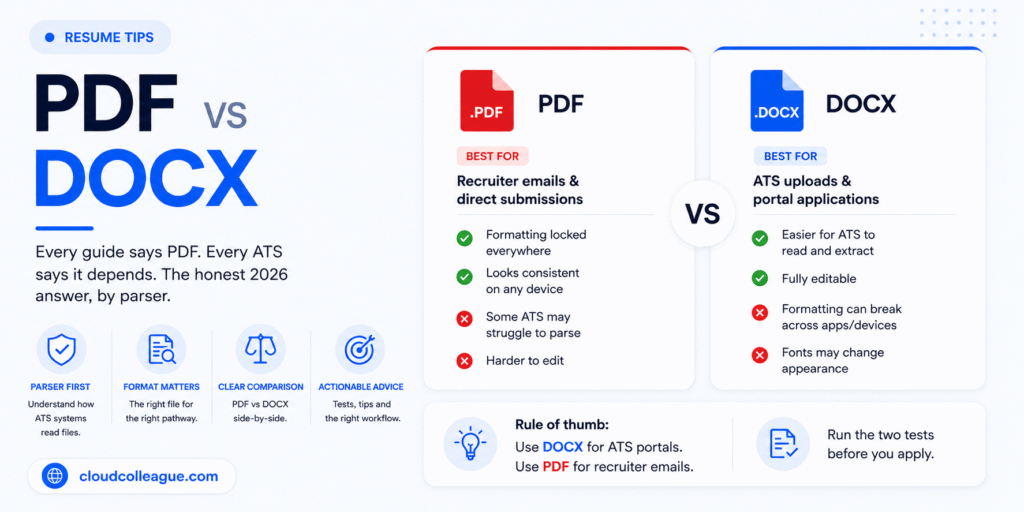
Are you stuck on Docx and PDF resume? Read : PDF vs DOCX Resume: What ATS Systems Actually Prefer
How We Evaluated the Free Plans
We assessed each tool against four criteria specific to Australian job seekers.
Keyword gap quality: Are the missing keywords specific and actionable? Do they reflect the language of the target job description rather than generic industry terms?
Formatting check accuracy: Does the tool catch real ATS risks such as multi-column layouts, tables, and image-based PDFs?
Content quality feedback: Does it improve bullet point strength, flag passive language, and prompt quantifiable achievements?
Genuine free tier access: What do you actually get without entering payment details or hitting a monthly scan limit?
We tested each tool by uploading an Australian resume for a business analyst applying to a data analytics role, using a real SEEK job description as the keyword source. If you are stuck on building your resume, read: Best Resume Builder for Career Changers in 2026: Tested and Ranked.
Best Free ATS Resume Checkers in 2026: Ranked
1. Resumeworded: Best Overall Free ATS Checker
Resumeworded earns the top spot because it is the only free tool that delivers strong feedback across all three layers simultaneously: keyword gaps, formatting compliance, and line-by-line content quality.
The targeted resume feature is the standout. Paste any job description, including those copied directly from SEEK, and Resumeworded analyses your resume against it. It surfaces specific missing keywords with context on where to incorporate them rather than simply listing terms you do not have. The feedback distinguishes between hard skills that are completely absent and soft skills that are present but underemphasised.
The line-by-line bullet point scoring is the strongest of any free tool tested. It flags passive verbs such as “responsible for” and “assisted with,” identifies bullet points that lack a measurable result, and suggests specific rewrites. For a job seeker whose resume describes duties rather than achievements, this feedback is immediately actionable.
Resumeworded also includes LinkedIn profile grading at no extra cost, which is a meaningful addition for Australian job seekers who use LinkedIn alongside SEEK for their search.
Free plan: five targeted resume reviews per month with full line-by-line feedback.
Genuine strengths:
- Keyword gap analysis is specific, contextual, and tied to the pasted job description
- Line-by-line bullet point scoring flags passive language and missing metrics throughout
- LinkedIn profile review included at no cost
- Works with SEEK job descriptions pasted as plain text
Genuine limitations:
- Five scans per month runs out quickly for active job seekers applying to many roles simultaneously
- Interface requires sign-up before accessing any results
Best for: Job seekers who need detailed feedback on both keyword alignment and writing quality in one tool, and who are applying to a focused set of targeted roles rather than a high volume of applications.
2. Teal: Best for Unlimited Free Keyword Checking
Teal’s free tier includes unlimited keyword gap analysis per job description, which makes it the most practical free option for high-volume job seekers who need to check and adjust their resume for many different roles without hitting a monthly cap.
The keyword matching is job-description-specific rather than generic. Paste or save a SEEK job description directly into Teal’s workspace and the tool compares your resume against it, surfacing the exact terms the employer has used that are absent or underrepresented in your document. The Chrome extension saves job descriptions from SEEK, LinkedIn, and employer career pages directly into your Teal workspace, which streamlines the workflow considerably.
Teal also integrates the keyword check directly with its job tracker and resume builder. You can adjust your resume in response to the feedback without switching between tools, which saves time during a high-volume application period.
Free plan: unlimited job tracking and keyword gap analysis per job description.
Genuine strengths:
- No scan limit on keyword analysis: check every application you submit
- Chrome extension works with SEEK, making it directly relevant for the Australian market
- Integrated with job tracker and resume builder in one workspace
- Keyword suggestions are specific to the pasted job description, not generic industry terms
Genuine limitations:
- Writing quality and bullet point feedback is noticeably weaker than Resumeworded
- AI-generated resume suggestions in the paid tier often need significant editing
Best for: Job seekers applying to many different roles simultaneously who need to check keyword alignment for each application without hitting scan limits.
3. Enhancv Resume Checker: Best for Formatting and Parsability
Enhancv’s free checker has no monthly scan limit and provides the most thorough formatting and parsability check of any free tool tested. Its scoring model is based on analysis of two million resumes and distinguishes between parsability rate (how much of your document the tool can successfully read) and content quality (how strong your written content is).
The parsability check is particularly useful for job seekers who built their resume using a design tool like Canva, a multi-column template, or a visually styled builder that might not export cleanly for ATS systems. Enhancv identifies specific formatting elements that break text extraction and explains the fix for each one.
Importantly, the Enhancv checker makes a point that other tools do not: there is no such thing as a universal ATS score. Its scoring model is transparent about measuring parsability and content quality rather than claiming to replicate any specific ATS system’s algorithm.
Free plan: unlimited scans with no monthly cap.
Genuine strengths:
- No monthly scan limit: check as many resumes as you need
- Parsability rate check identifies specific formatting issues breaking ATS text extraction
- Content quality scoring flags weak bullet points and missing achievements
- Transparent about what it measures and does not claim to replicate proprietary ATS algorithms
Genuine limitations:
- Keyword gap analysis against a specific job description is less detailed than Resumeworded or Teal
- Feedback primarily pushes you toward the Enhancv resume builder for fixes
Best for: Job seekers who want to confirm their resume file is ATS-safe before submitting, particularly if it was built in a design tool or uses a multi-column template that may have formatting risks.
4. SkillSyncer: Best Free Jobscan Alternative
SkillSyncer provides job-description-specific keyword analysis similar to Jobscan’s core feature but with a more accessible free plan and a significantly lower price point for paid features. If you have heard that Jobscan is the gold standard for ATS keyword checking but cannot justify $49.95 per month, SkillSyncer covers most of the same ground.
The tool accepts a pasted job description and produces a match percentage with a breakdown of hard skills and soft skills that are present, partially present, and missing. The missing skills list is specific to the language of the target job description rather than generic industry terms.
Free plan: limited monthly scans with keyword gap analysis per job description.
Genuine strengths:
- Hard skill and soft skill gap analysis against the specific job description
- Match percentage with clear breakdown by skill type
- Simpler interface than Jobscan with less feature overhead
- Paid plan significantly cheaper than Jobscan if you need unlimited scans
Genuine limitations:
- Content quality and bullet point feedback is less detailed than Resumeworded
- Free scan limit is more restrictive than Teal’s unlimited free tier
Best for: Job seekers who specifically want Jobscan-style keyword matching without the subscription cost, and who are primarily focused on keyword gap identification rather than writing quality improvement.
5. KudosWall Free ATS Score Checker: Best for a Quick No-Sign-Up Check
KudosWall’s free checker requires no sign-up and delivers an instant ATS score out of 100 with a breakdown across formatting, keyword match, and contextual keyword usage. For a fast check before submitting a specific application, it is the lowest-friction option available.
The contextual keyword check is a useful differentiator. Rather than simply flagging whether a keyword appears in your resume, it checks whether keywords appear in appropriate sections such as under Experience or Skills rather than buried in an unrelated part of the document. Modern ATS platforms increasingly weight keyword placement as well as keyword presence, and KudosWall’s scoring reflects this.
Free plan: basic scan with no account required.
Genuine strengths:
- No sign-up required: paste your resume and get results immediately
- Instant ATS score with breakdown by formatting, keyword match, and contextual placement
- Checks for tables, columns, and graphics that break ATS parsing
- Keyword context check goes beyond simple keyword presence
Genuine limitations:
- Less detailed line-by-line feedback than Resumeworded
- Fewer content quality checks on bullet point strength and writing quality
- Some advanced features require sign-up or a paid plan
Best for: Job seekers who want a fast, low-friction formatting and keyword check before submitting a specific application without creating an account or signing up for a service.
Resume ATS-checked and keywords optimised. Now find Australian roles worth applying to. Browse AI-matched jobs with tasks on CloudColleague across tech, admin, health, trades, and more. Find your task on CloudColleague
Free ATS Resume Checkers: Head-to-Head Comparison
Here is how all five tools compare across the criteria that matter most to Australian job seekers.
| Criteria | Resumeworded | Teal | Enhancv | SkillSyncer | KudosWall |
| Keyword gap analysis | Detailed, contextual | Detailed, unlimited | Basic | Detailed | Basic |
| Formatting check | Good | Good | Best | Basic | Good |
| Content quality feedback | Best | Basic | Good | Basic | Basic |
| Free scan limit | 5/month | Unlimited | Unlimited | Limited | Unlimited |
| Sign-up required | Yes | Yes | Yes | Yes | No |
| SEEK JD compatible | Yes | Yes | Yes | Yes | Yes |
| Best use case | Targeted applications | High volume | Formatting safety | Keyword focus | Quick check |
The table shows why no single tool wins across every criterion. Consequently, the best approach is to match the tool to your specific situation rather than committing to one tool for every application.
What Your ATS Score Actually Means (And What to Do with It)
Most articles stop at the score. Here is what to do after you receive it.
Score Below 60%: Formatting or Major Keyword Problem
A very low score usually indicates one of two problems. Either a formatting issue is preventing the tool from reading your resume correctly, which means your keywords are invisible to the system regardless of how many you have, or there is a significant keyword mismatch with the target job description.
Run the copy-paste test first. Open your PDF, select all text, copy it, and paste it into a plain text editor. If the text appears garbled, in the wrong order, or does not paste at all, you have a formatting problem that needs to be fixed before keyword optimisation makes any difference.
If the file parses cleanly, focus on adding the specific keywords the tool flagged as missing, incorporated naturally into your achievement bullet points rather than listed at the bottom of your resume.
Score Between 60% and 80%: Keyword Gaps and Content Quality
This range is where most first-attempt resumes land. The formatting is likely acceptable but the keyword alignment has gaps, and the bullet points may be too duty-focused or too vague to perform well with both ATS systems and human recruiters.
Incorporate missing keywords naturally into your achievement statements rather than simply adding them to a skills list. Modern ATS platforms increasingly evaluate keyword context, not just keyword presence. A keyword buried in a disconnected skills list carries less weight than the same keyword appearing in a quantified achievement statement under your work history.
Score Above 80%: Refine Content Quality
A score above 80% suggests reasonable ATS alignment for the target role. At this point, the marginal return on further keyword optimisation is lower than the return on improving the quality of your bullet points.
Use Resumeworded’s line-by-line feedback to sharpen passive language, add missing metrics, and ensure your achievement statements are genuinely compelling to the human recruiter who reads your resume after it passes the automated screen. A resume that scores 85% on ATS alignment but has weak, generic bullet points will still underperform at the human review stage.
The Score Is Always an Approximation
Return to the fundamental point from the introduction. No free tool has access to the specific ATS system your target employer uses. A high score is a positive signal, not a guarantee. Use the score directionally and focus your energy on the specific, actionable feedback rather than chasing a particular number.
What Australian Job Seekers Specifically Need to Know
All five tools accept SEEK job descriptions pasted as plain text. Copy the full description from SEEK into the tool’s job description field and run the analysis. The keyword matching then reflects the specific language your target Australian employer uses. As a result, you avoid generic international industry terms.
Large Australian employers typically use three main ATS platforms. Workday dominates banking, professional services, and resources. Taleo runs across government, healthcare, and large corporates. Additionally, Greenhouse leads in technology and growth-stage startups. However, none share their proprietary algorithms with third-party checkers.
Australian government roles do not use standard keyword-matching ATS like corporate employers. Instead, they score structured selection criteria against competency frameworks. Consequently, ATS checkers prove less useful here. Focus on addressing each selection criterion explicitly.
CloudColleague uses a skills-based approach that surfaces roles based on your full capability profile. This goes beyond simple keyword frequency matching. A well-structured resume articulating your skills and quantified achievements performs strongly here. Nevertheless, keyword optimisation from these tools still helps for ATS-screened applications through SEEK and employer career portals.
Australian formatting standards match international ones closely. Single-column templates work universally. Standard fonts like Arial, Calibri, and Times New Roman remain safe. Additionally, clearly labelled section headings apply everywhere.
ATS score confirmed and resume optimised. Now find Australian employers actively hiring right now. Create a free verified profile on CloudColleague and get AI-matched to roles from 18,000+ verified Australian businesses.Get started free on CloudColleague
Hiring and need pre-vetted candidates? Post a role or task in under five minutes. Smart matching finds the right people across every Australian industry. No agency fees.Start hiring on CloudColleague
Frequently Asked Questions
Resumeworded is the best overall free ATS checker for Australian job seekers. Its free plan includes five targeted reviews monthly with keyword gap analysis and line-by-line feedback. Additionally, Teal’s free tier offers unlimited keyword analysis. For a fast no-signup check, KudosWall delivers instant results.
Free ATS checkers are useful but not perfectly accurate. Scores can vary by up to 18 percentage points across tools. Importantly, no free tool accesses the proprietary algorithms of Workday, Taleo, or Greenhouse. However, their value lies in actionable feedback on keywords and formatting. Use scores directionally.
Yes, all five tools accept SEEK job descriptions as plain text. Copy the full description from your target listing and paste it into the tool. Additionally, Teal’s Chrome extension saves SEEK descriptions directly into your workspace with one click.
No universal pass score exists across employers and ATS configurations. Some benchmarks suggest aiming above 80% on Jobscan or Resumeworded. However, these reflect the tool’s model, not any actual ATS threshold. Instead, ensure role-critical keywords appear naturally and formatting passes cleanly.
For most Australian job seekers, free alternatives cover Jobscan’s core functionality without the $49.95 monthly cost. Teal provides unlimited free keyword analysis. Additionally, Resumeworded offers stronger bullet point feedback than Jobscan. Jobscan suits high-volume applicants needing unlimited scans and ATS profile databases.