To post a task on CloudColleague, describe the job clearly, set a budget, add location and timing, then publish and review offers. Posting is free, so you only pay when the task is completed. This guide shows you how to write a task that attracts the right taskers and gets done quickly, safely, and at a fair price.
A clear task brief is the difference between fast, accurate offers and a slow, frustrating search. Posters who give detail get better taskers and better prices. Let us make your brief work hard for you, then cover budgeting, choosing a tasker, and staying safe.
| QUICK ANSWER: To post a task on CloudColleague, describe the job clearly, set a realistic budget, add location and timing, then publish and review offers. Posting is free, and you only pay a flat 7 percent fee when the task is completed. A clear brief with photos and a fair budget attracts the right taskers and gets your task done quickly and safely. |
How to Post a Task on CloudColleague? (Step by Step)
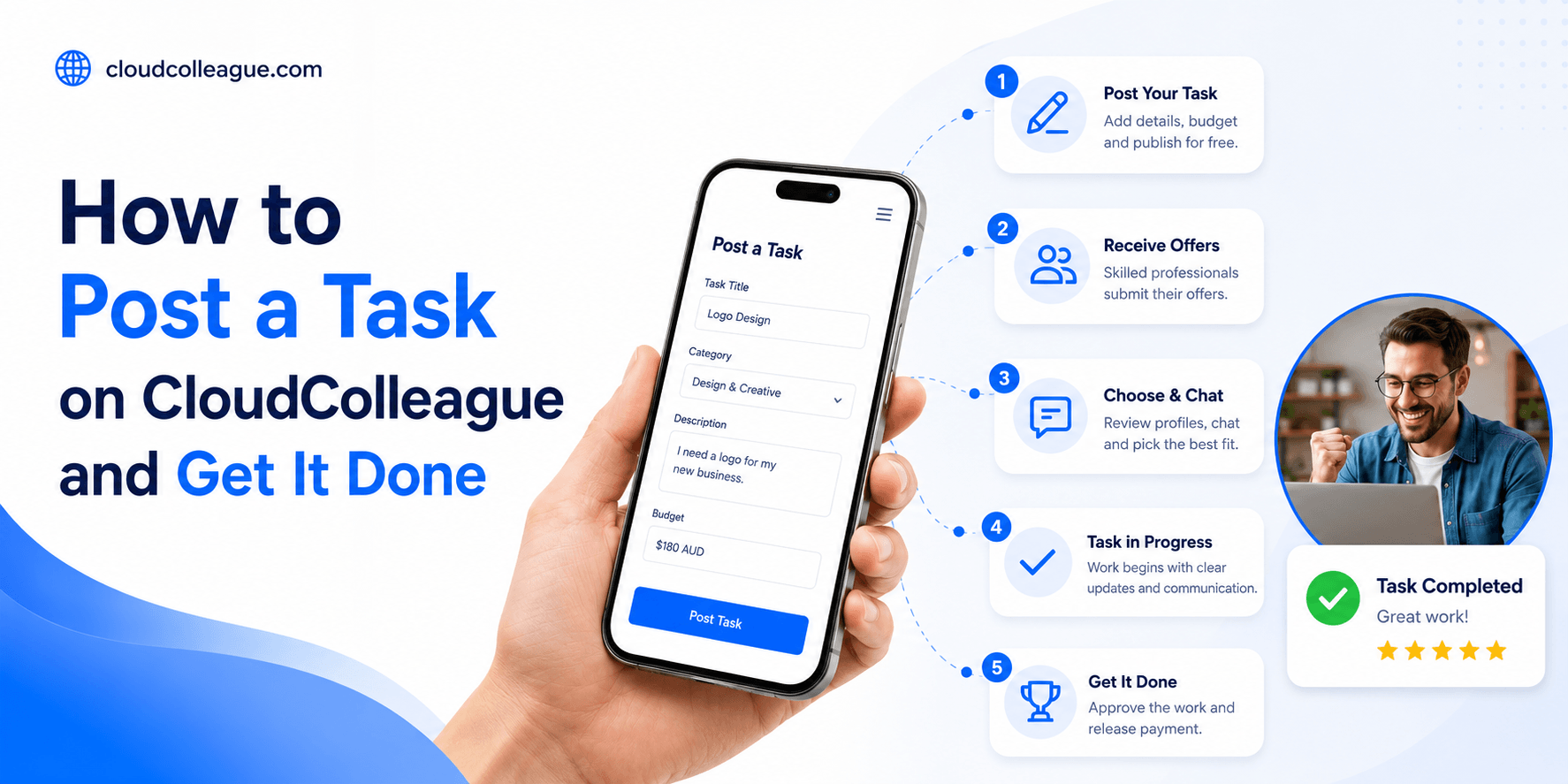
Four steps take your task from idea to live. Each one improves the quality of offers you receive, so it pays to do them well.
- Step 1:Describe the task clearly, including what done looks like.
- Step 2:Set your budget so taskers can quote accurately.
- Step 3:Add location and timing for the work.
- Step 4: Publish and review the offers that come in.
Describe the task clearly
Explain exactly what you need, what success looks like, and any constraints. A clear brief attracts accurate offers and avoids back-and-forth. Vague tasks get vague, inflated quotes, because taskers price in the uncertainty you left them.
Set your budget
Give a realistic budget so taskers can quote confidently. A fair budget attracts skilled, reliable applicants. Lowball figures tend to draw fewer and weaker offers, which usually costs you more in redone work later.
Add location and timing
Include the suburb and your preferred date or deadline. This helps local taskers judge travel and availability. Accurate timing leads to faster, firmer offers, since taskers can commit with confidence.
Publish and review offers
Once live, compare offers on price, profile, and ratings. Message your shortlist to confirm details, then assign the best fit. Your payment is held securely until the task is done, which protects you as much as the tasker.
Read Next: How to Apply for Tasks on CloudColleague? and How Much Does It Cost to Post a Task on CloudColleague?
How to Write a Task That Gets Done Fast?
The best briefs are specific, realistic, and easy to act on. Two elements matter most, and both take only a minute to get right.
Title, detail, photos
Write a clear title, add the key details, and include photos where they help, such as a room to clean or furniture to move. Visuals remove guesswork and produce sharper quotes. The more a tasker can see, the faster they can commit and the more accurate their price.
Realistic budget and deadline
Set a budget that matches the work and a deadline that gives taskers room to deliver. Fair, realistic expectations attract better applicants and reduce drop-outs. Rushed or underpriced tasks struggle to get done well, since the strongest taskers simply skip them.
| Good task brief | Poor task brief |
| Clear title and scope | Vague one-line request |
| Realistic budget stated | No budget or lowball |
| Location and deadline included | Missing key details |
| Photos where useful | No context or visuals |
| Any access notes included | Surprises on the day |
How to Set the Right Budget?
Pricing a task fairly is the fastest way to attract good taskers. Too low, and skilled applicants pass. Too high, and you overpay. The indicative ranges below help you anchor a fair budget for common tasks in Australia.
| Common task | Indicative AUD budget | Note |
| Flat-pack assembly | $40 to $120 | Depends on item size |
| House clean | $120 to $250 | Bond cleans cost more |
| Lawn and garden tidy | $60 to $200 | Size and overgrowth matter |
| Small two-person move | $150 to $450 | Distance and access affect price |
| Handyman visit | $80 to $250 | Licensed work costs more |
Set your budget toward the middle of the range for steady interest, or higher if the job is urgent or complex. A fair number signals you are a good client, which the best taskers notice.
| Ready to make task-based work easier? Explore our Guides on Tasks to learn about task postings, how bidding works, payments, and browse live tasks. |
How to Choose the Right Tasker?
The best tasker is rarely just the cheapest. Choose for reliability and fit, because a dependable tasker saves you time and stress.
Ratings, reviews, communication
Check ratings and reviews, and notice how clearly each tasker communicates. A responsive, well-rated tasker is far more likely to deliver on time. Trust the evidence of past work over the lowest quote, since cheap and unreliable usually costs more in the end.
- Read recent reviews for tasks like yours.
- Favour taskers who ask sensible questions.
- Confirm scope and timing before assigning.
- Prefer a clear, all-inclusive quote over a vague one.
How to Stay Safe as a Poster?
Posting is safe when you keep everything on the platform. Your payment is secured and only released when you approve the completed work, so you are never out of pocket for an unfinished job. Keep communication and payment on-platform, and never move a deal off it to save a fee.
If a tasker pushes to take the job off-platform or asks for payment outside the system, treat it as a warning sign. The platform process exists to protect you, and it costs nothing extra to follow.
Is It Free to Post a Task?
Yes, posting a task on CloudColleague is free. You pay nothing to list work or collect offers.
Free to post, fee on completion
| How pricing works: Posting is free, and a flat 7 percent fee applies only on completion. Compared with platforms that add poster connection fees of up to $49.50, free posting lowers your cost to try the marketplace and get a task done. You only pay once the work is finished and approved. |
A Real Posting Example
Consider Mark, who needs two rooms painted before a house inspection. He posts a clear brief with photos, a $480 budget, and a Saturday deadline, all in a few minutes and at no cost.
Within an hour he receives four offers. He shortlists two well-rated painters, messages both to confirm the paint and timing, and assigns the one with stronger reviews. His $480 is secured until the job is done. The painter finishes on Saturday, Mark approves, and the flat 7 percent fee applies only then. A clear brief turned a stressful job into a same-week result.
See the full breakdown in how much it costs to post a task, or post now via employers.
| Ready to start real verified tasks? Create a free profile on CloudColleague, start as a seeker and start building your earnings from day one. |
Frequently Asked Questions
Describe the task clearly, set a realistic budget, add location and timing, then publish and review offers. Posting is free, and you assign the tasker who best fits on price, ratings, and communication. Your payment stays secure until the task is completed and you approve the work.
Yes, posting a task on CloudColleague is free. You only pay a flat 7 percent fee once the task is completed. There is no charge to list work, collect offers, or message taskers, which keeps your cost to try the platform low and risk-free.
Compare offers on ratings, reviews, communication, and price rather than cost alone. Read recent reviews for similar tasks, favour responsive taskers who ask sensible questions, and confirm scope before assigning. The most reliable, well-rated tasker usually delivers better value than the cheapest bid.
Budget to the realistic market rate for the job, using the task type and size as a guide. Setting a fair figure toward the middle of the range attracts steady interest from good taskers. Urgent or complex tasks justify a higher budget, while underpricing tends to draw weaker offers.
Yes, you can usually update a task to add detail or adjust timing before assigning a tasker, which helps attract better offers. If your plans change, you can cancel before work begins. Keeping changes clear and communicating early helps taskers quote accurately and avoids confusion.