You have registered. Your profile is set up. The opportunity you have been looking for is right there on the screen. Now comes the part that determines whether a business clicks on your application or moves to the next one.
Applying to CloudColleague is not the same as applying to a traditional job board. The platform covers three types of professional opportunities: jobs, tasks, and services. Each type has its own application process, its own success factors, and its own set of mistakes that consistently cost candidates opportunities they were genuinely qualified for.
This guide covers the complete application process for all three opportunity types on CloudColleague, “ How to write a covering message that gets read?” “ How to write a task proposal that wins the work?” “ How to respond when a business enquires about your service listing?’ “ What to do after you have applied?” “ How to follow up without being counterproductive?” “ And what do the most successful professionals on the platform do differently from everyone else?”
If you have not yet registered or set up your profile, start there before applying for anything.
Before You Apply: What You Need To Ready on CloudColleague?
Your CloudColleague profile is not separate from your application. It is part of it. When a business opens an application you have submitted, they see your covering message or proposal and your profile simultaneously. An incomplete profile communicates carelessness before a business has read a single word of what you wrote.
Before you apply on CloudColleague, run through this checklist:
| Profile Element | Status Before Applying |
| Professional headline | Written as a specific searchable skill phrase, not just a job title |
| Professional description | Two to four specific paragraphs describing who you are, what you do, and what you are looking for |
| Resume uploaded | Current, PDF format, named FirstName-LastName-Resume.pdf |
| At least one portfolio item | A specific project, work sample, certification, or completed task |
| Skills section | Eight to twelve specific, searchable skills relevant to your target opportunities |
| Availability and work type preferences | Accurate and current, reflecting what you are actually open to right now |
| Professional profile photo | Clear, professional headshot against a neutral background |
| Verification completed | Identity and credentials verified where applicable |
The difference between applying with a 40 percent complete profile and a 100 percent complete profile is not subtle on CloudColleague. Businesses filter out incomplete profiles before they reach the application review stage. A complete profile signals professionalism, preparation, and attention to detail before a business has read anything you have written.
The Three Types of Applications on CloudColleague
CloudColleague offers three types of professional opportunities, and each requires a different type of application. Understanding which type you are applying for before you start shapes every other decision in the process.
| Type | What It Is | How You Apply | Best For |
| Job | Ongoing or fixed-term employment role | Covering message and resume | Professionals seeking ongoing work at any career stage |
| Task | Short-term or one-off project with a defined scope and budget. Low commission. | Specific proposal covering approach, timeline, and pricing | Building experience, flexible income, and testing new fields |
| Service | Packaged professional offering you a list, and businesses purchase directly | Responding to enquiries and confirming scope | Professionals with a repeatable, clearly scoped offering |
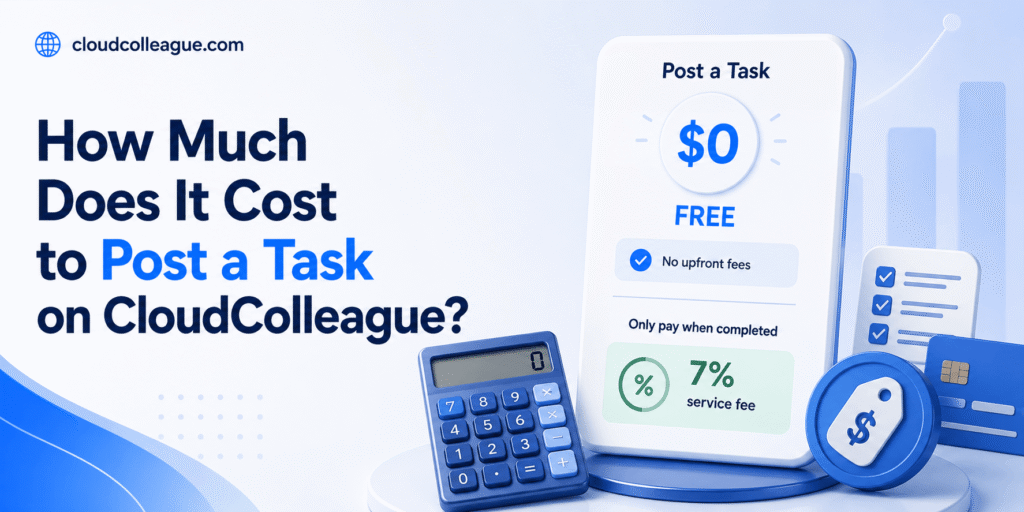
For most professionals who are new to CloudColleague, the recommended starting point is tasks rather than jobs. Tasks carry a small commission of 7% on the platform, meaning after a small deduction, the agreed payment goes directly to you. They are more accessible to candidates without an established on-platform track record because they are scoped around specific deliverables rather than requiring a prior employment history. And completing a task well and earning a positive review creates the social proof that makes subsequent job applications significantly more credible.
The sections that follow walk through each application type in detail. Jump to the section that matches what you are applying for right now.
Read next: How to Use CloudColleague to Find Jobs: a complete guide to registration, profile setup, and finding opportunities
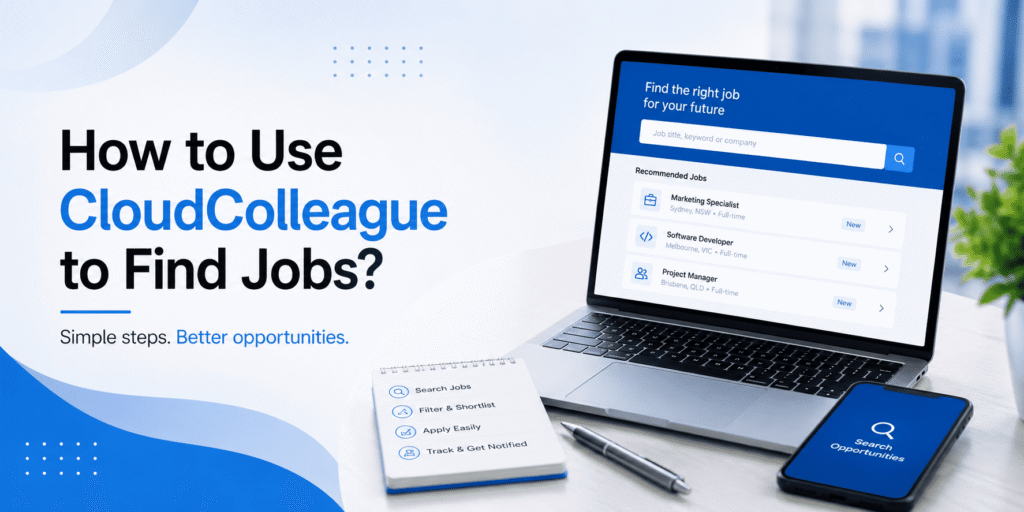
Here are the Steps to Apply for a Job via CloudColleague
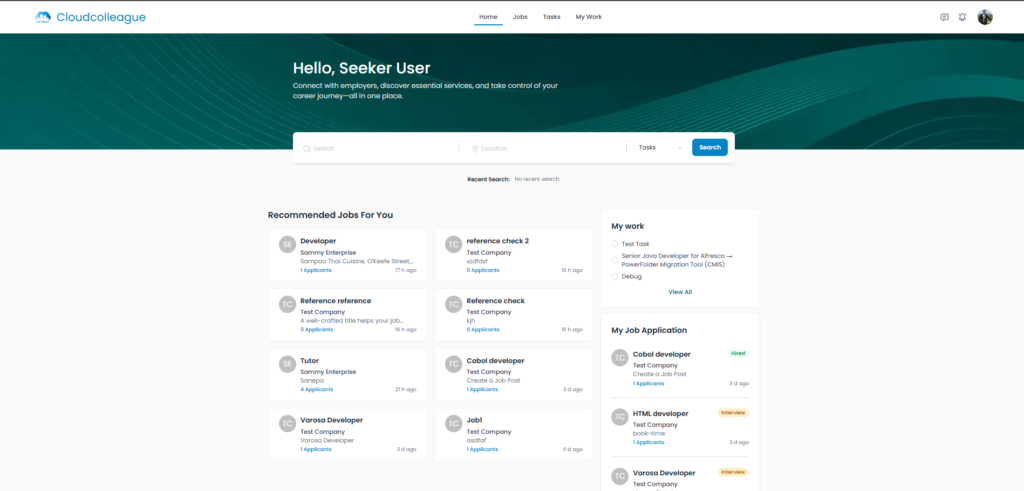
A job application on CloudColleague consists of three elements: a covering message written specifically for the listing, your uploaded resume, and any supporting documents that directly strengthen the application. The covering message is the element that most consistently separates successful applications from unsuccessful ones, and it is the element most professionals either skip or write generically.
Step 1. Find the Right Job Listing
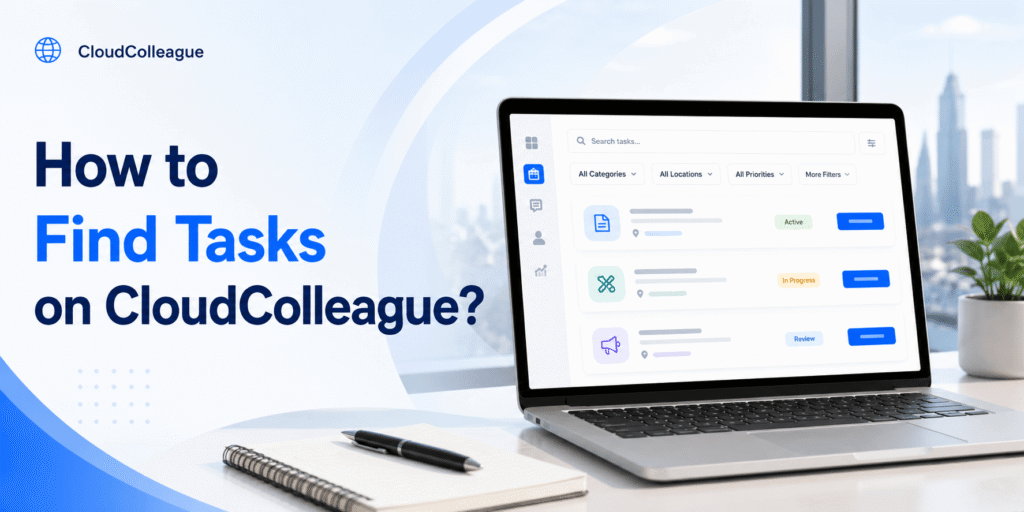
Use the search bar with specific job title keywords and skill terms rather than broad category browsing. A search for project coordinator or UX designer will return more relevant results than a search for office work or design. Apply the job type filter to restrict results to employment listings and add filters for industry, location, salary range, and date posted to narrow further.
When you find a listing that looks relevant, read it in full before making any decision about applying. The title and the first paragraph tell you the basics. The requirements section, the compensation details, and any specific application instructions tell you whether this is genuinely worth your time. A listing that asks for ten years of experience in a specialised technology you have never used is not a stretch application. It is a mismatch. Spend your effort on listings where you meet the minimum requirements and most of the desirable ones.
Save searches that return strong results and set up job alerts so you are notified when new relevant listings appear. Businesses on CloudColleague sometimes review applications as they arrive rather than waiting for a set closing date. Seeing a listing within hours of it going live gives you a meaningful timing advantage.
Step 2. Review the Business Profile Before Applying
Every business on CloudColleague has a profile visible to professionals before they apply. Take two minutes to look at it. How long has the business been on the platform? Do they have a history of completed engagements? What do previous professionals say about working with them in their reviews?
A business with a complete profile, a posting history, and positive reviews from previous professionals is a credible engagement. A brand new profile with no history and minimal information does not mean the opportunity is not genuine, but it does mean you should read the listing particularly carefully and ensure the terms are clearly stated before committing application time.
If a business has existing reviews, read them. Patterns in how a business communicates, pays, and manages professional relationships are the most reliable predictors of your own experience with them.
Step 3. Write Your Covering Message
The covering message is the first thing a business reads after opening your application. It does not need to be long. It needs to be specific. A covering message that references details from the actual listing immediately distinguishes your application from the majority that could have been submitted to any role on any platform.
The structure that works reliably on CloudColleague follows three short paragraphs. The opening establishes that you have read this specific listing and have a genuine reason for applying to this business rather than any employer with an available role. The middle connects your most relevant experience or capability to the most important requirement in the listing. The closing is a confident, brief expression of interest and an invitation to continue the conversation.
| Weak Covering Message | Strong Covering Message | |
| Opening | Hi, I am interested in this role and would love to be considered. Please find my resume attached. | I noticed you are looking for a project coordinator with experience managing cross-functional teams in a fast-paced environment. That description matches the last three years of my working life closely. |
| Middle | I have extensive experience in project management and am a strong communicator with excellent organisational skills. | In my most recent role I coordinated a 14-person product launch team across three time zones, delivered four major milestones on schedule over eight months, and reduced cross-team communication delays by introducing a weekly structured update process. |
| Closing | I hope to hear from you soon and would love the opportunity to work with your team. | I would welcome the opportunity to discuss how this experience applies to what you are building. I am available for a conversation at your convenience. |
The weak version could have been submitted to fifty different listings without changing a word. The strong version could only have been written after reading this specific listing. Businesses on CloudColleague see both types every day. The specific ones get read carefully. The generic ones get closed.
Use Grammarly or read your covering message aloud before submitting. A spelling error or an awkward sentence in a covering message on a professional platform signals exactly the kind of carelessness that a hiring business is trying to screen out.
Step 4. Attach Your Resume and Supporting Documents
Attach your resume as a PDF named FirstName-LastName-Resume.pdf. This naming convention is professional, immediately identifiable, and easy for a business to locate when they are comparing multiple applications. A file named document1.pdf or resume-final-v3.pdf creates a poor first impression before the content is read.
Attach additional supporting documents only when they directly strengthen the application for this specific role. A relevant certification for a role that requires it, a portfolio case study for a creative or technical role, or a work sample for a writing or design position all earn their place in the application. A bulk upload of every document you have ever produced does not.
Check that the resume version you are attaching is current and tailored to this specific listing before you submit. The most common avoidable mistake in job applications on any platform is attaching an outdated or untailored resume that was prepared for a different role category.
Read Next: Write a Resume that gets a interview.
Step 5. Review and Submit Your Application
Before you click submit, run through a final check. The covering message references something specific from this listing. The correct resume version is attached. All required fields in the application form are completed. Your availability and work preferences on your profile reflect your current situation accurately.
After submitting, you will receive a confirmation notification from CloudColleague. Save a note of the role title, the business name, the date you applied, and the expected response timeframe if one was mentioned in the listing. This information feeds into your tracking and follow-up process, which the later section of this guide covers in detail.
How to Respond to a Service Enquiry on CloudColleague?
When a business enquires about a service you have listed on CloudColleague, the dynamic is different from a job application or a task proposal. In this case, the business has come to you. They have read your service listing, decided it is relevant to their needs, and reached out to learn more or to proceed. Your job is to confirm the scope, set clear expectations, and move the engagement forward professionally.
Respond to a service enquiry promptly, ideally within a few hours of receiving it. A business that has reached out to a service listing is typically ready to move quickly. A slow response can lose an engagement to another professional whose listing they found while waiting for yours.
In your response, confirm what your service listing includes and ask the clarifying questions you need to scope the engagement accurately. What is the specific context for the work? Are there constraints on timeline beyond what your listing states? Are there any specific requirements that differ from your standard service scope? Asking these questions before accepting the enquiry prevents misalignment that becomes a problem mid-engagement.
If the business is asking for something outside the scope of your listed service, you have two options. You can decline and refer them to the scope as listed. Or you can offer a custom arrangement with a revised scope and pricing that reflects the additional requirements. Either response is professional. What is not professional is accepting a service enquiry without clarifying the scope and discovering mid-way through that what the business wanted and what you planned to deliver are different things.
Once scope, timeline, and pricing are confirmed, proceed with the same delivery standards that apply to task work: re-read the agreed brief before starting, communicate proactively during delivery, and submit your output with a brief confirmation note.
What happens after you apply to CloudColleague?
The confirmation you receive after submitting an application or proposal on CloudColleague is a notification that your submission has been received, not a signal that a business has read it yet. Understanding what the review process typically looks like helps you calibrate your expectations and make better decisions about timing and follow-up.
For Job Applications
After a business receives your job application, they review the pool of submissions they have received, compare covering messages and profiles, and create a shortlist for further contact. The timeline for this process varies significantly: a business with an urgent hire requirement may review and respond within 24 to 48 hours. A business running a longer-term search may take one to two weeks before beginning shortlist conversations.
CloudColleague’s notification system alerts you when a business views your application. This is a useful signal: a business that has opened your application has at minimum decided it was worth their attention. A business that has not viewed your application after five to seven business days is either still collecting applications or has not yet begun their review process, which is the appropriate point at which a follow-up becomes relevant.
For Task Proposals
Task proposal review tends to move faster than job application review because the business has a specific piece of work they need done and is selecting someone to do it rather than building a longer-term employment relationship. For time-sensitive tasks, businesses may accept a proposal within hours of the listing going live. For open-timeline tasks, the review period may extend to several days as additional proposals arrive.
The factors that most consistently bring a proposal to the top of a business’s review pile are: specificity of the proposal relative to the brief, relevance of the professional’s experience to the task type, and the quality and completeness of the professional’s CloudColleague profile. A strong bid proposal from a professional with a complete profile and existing reviews will almost always outperform an equally strong proposal from a professional with an incomplete profile and no review history.
Tracking Multiple Active Applications
If you are applying for multiple jobs and tasks simultaneously on CloudColleague, maintain a simple tracking record outside the platform: the listing title, the business name, the type of application (job or task), the date submitted, the current status, and your planned follow-up date. This record prevents duplicate applications, missed follow-up windows, and the confusion that develops quickly when several applications are in motion at the same time.
How to Follow Up on a CloudColleague Application Professionally?
Following up after applying on CloudColleague is appropriate, professional, and consistently underused. The majority of applicants submit and then wait passively. A brief, well-timed follow-up through the platform’s internal messaging system signals genuine interest and initiative without applying inappropriate pressure.
When to Follow Up?
For job applications: follow up five to seven business days after submitting if you have not received any response or notification that your application has been viewed. This is long enough to allow the business to begin its review process but short enough to still be timely in the context of an active hiring process.
For task proposals: follow up two to three business days after submitting for tasks with a short or immediate timeline. For tasks with an open or flexible timeline, five business days is a more appropriate interval before following up. Read: Guides on Tasks to get more information about tasks on CloudColleague.
How to Write a Follow-Up Message on CloudColleague?
Use CloudColleague’s internal messaging system to send your follow-up. Keep it to two or three sentences. The message should confirm your application, express continued interest, and offer to provide any additional information that would be helpful. It should not restate your entire covering message, describe your qualifications in detail, or apply any form of pressure.
Follow-up for a job application: Hi [Business Name], I wanted to follow up on the project coordinator application I submitted on [date]. I remain very interested in the role and am happy to provide any additional information that would be useful for your review. Thank you for your time.
Follow-up for a task proposal: Hi [Business Name], I am following up on the proposal I submitted for the product description task on [date]. I am still available to take this on within the timeline I outlined and happy to answer any questions about my approach. Please let me know if you would like to proceed.
One follow-up per application is the professional standard. A second follow-up in the continued absence of any response, sent at least a week after the first, is the absolute limit. More than two follow-ups without a response tells you the application has not progressed and the energy is better directed toward new opportunities.
When a business declines your application, respond briefly and professionally. Thank them for their time and express genuine openness to future opportunities. Australian and global professional networks are smaller than most people assume. A professional response to a rejection is remembered more often than you would expect.
Apply for Remote Jobs and Tasks on CloudColleague
CloudColleague’s task category is inherently well-suited to remote work because the deliverables, in most cases, are digital rather than location-dependent. A business posting a task to have content written, data formatted, a design produced, or research compiled does not require the professional to be physically present. Most tasks work on CloudColleague are remote by default.
For job listings that specify a remote or hybrid arrangement, use the remote filter in CloudColleague search to surface these listings specifically. When applying for a remote role, adjust your covering message to address remote work capability proactively rather than leaving the business to wonder about it.
What to include in a covering message or profile for a remote application: specific mention of the remote collaboration tools you are proficient with, such as communication platforms, project management tools, and file sharing systems. Evidence of self-directed work from any context, professional or otherwise. A brief, confident note about your home office setup if the listing indicates that equipment or connectivity is relevant to the role.
The qualities Australian businesses consistently look for when hiring remote professionals on CloudColleague mirror what remote employers seek anywhere: demonstrated ability to work without direct supervision, clear and proactive communication habits, reliability in meeting deadlines without in-person accountability structures, and technical proficiency with the tools that make distributed work function. Address these qualities specifically in your covering message rather than assuming the business will infer them from your employment history.
How to Improve Your Application Success Rate on CloudColleague?
The gap between a CloudColleague application that generates a response and one that does not is rarely about the quality of the candidate’s underlying experience. It is almost always about the quality and specificity of the application itself. These are the factors that most consistently separate the professionals who get responses from those who do not.
Personalise Every Application to the Specific Listing
A covering message or proposal that references specific details from the listing consistently outperforms a generic one. The one-minute test: if your covering message could have been submitted to ten other listings on CloudColleague without changing a word, it is not personalised enough. Build a base structure for your covering messages that makes personalisation efficient rather than starting from scratch every time, but treat the opening paragraph and the evidence paragraph as mandatory custom content for every application.
Apply Early When New Listings Go Live
Businesses on CloudColleague, particularly those posting time-sensitive tasks, often review and accept applications in the order they arrive rather than waiting for a full pool of submissions. Save searches that match your target opportunity types and set up notifications so you see new listings within hours of them going live. Being in the first wave of applicants for a task listing is a structural advantage that requires no additional effort beyond having your alerts set up correctly.
Match the Language of the Listing in Your Application
Use the same terminology the business used in their listing. If the listing says stakeholder management, use that phrase rather than relationship management. If it says agile delivery, use that term rather than a flexible project approach. Businesses search for familiarity with the specific language of their field, and matching their terminology signals that you understand their context rather than just your own.
Keep Your Profile Updated and Availability Status Current
An outdated profile undermines strong applications. Businesses browsing applicants on CloudColleague filter for available professionals. If your availability status has not been updated since you registered, you may not appear in filtered searches at all regardless of how strong your profile content is. Review your availability status, work type preferences, and most recent portfolio items regularly and update them to reflect your current situation accurately.
Respond Promptly to Business Messages
Response time on CloudColleague is a competitive factor. Businesses comparing proposals from two equally strong professionals will consistently prefer the one who responds to their messages faster, because responsiveness is a proxy for the communication reliability they are about to depend on throughout the engagement. Set up mobile notifications for CloudColleague messages so you can respond within a few hours regardless of where you are when a business reaches out.
Read Next: Apply for Jobs Without Experience
Common Application Mistakes on CloudColleague (And How to Fix Them Before You Submit?)
Most CloudColleague applicants lose great opportunities due to avoidable mistakes, a two-minute pre-submission check can fix that. Here are the ones that come up most often.
- Submitting a generic covering message with no reference to the specific listing. Businesses identify generic applications in the first sentence. Fix it by making sure your opening paragraph contains at least one reference to something specific in this listing.
- Proposing on tasks where the skill level required clearly exceeds your current capability. Fix it by reading the requirements section of every task listing carefully before proposing and being honest about what you can deliver to the implied standard.
- Setting a price in a task proposal with no rationale or context. A price with no explanation raises questions. Fix it by including one sentence that gives the business a sense of what the price reflects: scope, experience, turnaround time, or included revisions.
- Having an incomplete profile at the time of applying. A business that opens your application and finds a 40 percent complete profile will move on. Fix it by completing your profile before you apply for anything.
- Not attaching a resume for job applications. Your CloudColleague profile describes who you are. Your resume provides the structured employment history that businesses use to assess your background specifically. Fix it by attaching a current, tailored PDF resume to every job application you submit.
- Sending a follow-up message the day after submitting. This reads as impatient rather than interested. Fix it by waiting the appropriate interval: five to seven business days for job applications, two to three business days for time-sensitive task proposals.
- Not reviewing the business profile before applying and discovering mid-engagement that the arrangement does not match your expectations. Fix it by spending two minutes on the business profile before every application submission.
- Writing a covering message that is longer than the job listing itself. Length does not signal quality on CloudColleague. Three focused paragraphs outperform six unfocused ones. Fix it by keeping your covering message to what can be read in 90 seconds.
- Not proofreading before submitting. A spelling error in a covering message on a professional marketplace signals the kind of carelessness that a business is trying to screen out. Fix it by reading your covering message or proposal aloud before clicking submit, or run it through Grammarly first.
- Applying to every available listing regardless of fit. Volume without targeting produces poor results and wastes time. Fix it by applying selectively to listings where you genuinely meet the minimum requirements and have a specific reason to believe you are the right professional for this particular business.
Every Application Is a Skill. Practice It Deliberately.
The first application you submit on CloudColleague will not be your best one. The fifth will be better. The tenth will be better still. Applying effectively on a professional marketplace is a skill that improves with practice and attention, and the professionals who get consistently strong results on CloudColleague are the ones who treat every application as a deliberate effort rather than a routine submission.
Read the listing carefully. Write something specific. Attach the right documents. Submit with a complete profile. Follow up at the right time. Deliver any task work to a standard that earns a five-star review. Repeat. The process is not complicated. Applying it consistently is what separates the professionals who build momentum on CloudColleague from those who sign up, apply to a few things, and conclude that the platform does not work.
It works. Apply deliberately and it will work for you.
Your next opportunity is already listed on CloudColleague. Apply for it today at cloudcolleague.com.
Frequently Asked Questions About Applying to CloudColleague
Find a relevant listing, review the business profile, write a tailored covering message, attach your resume, complete required fields, and submit.
Three paragraphs: reference the listing in the opening, connect your experience to the requirements with examples in the middle, and close with a confident expression of interest. Keep it under 90 seconds to read.
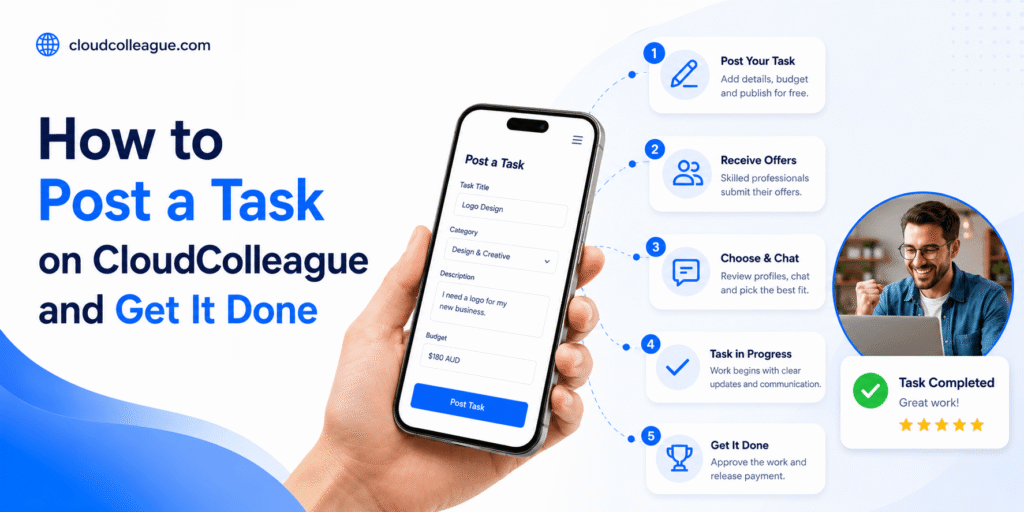
Choose a task matching your skills, write a clear proposal referencing the brief, outline your approach, timeline, and price. Submit and respond promptly to any questions.
Businesses review your submission and shortlist top candidates. Hiring timelines range from 24 hours to 1–2 weeks, you can accept tasks within hours. CloudColleague notifies you the moment employers view your application.
Yes. Start with tasks that match your skill level, deliver them well, and build your review history. Positive task reviews improve credibility for job applications.
Complete your profile, personalize every message/proposal, apply early, match listing terminology, keep availability updated, respond promptly, and start with tasks to build reviews.