Every article ranking the best job tracker app in 2026 is written by a company trying to sell you their own tool. Prentus ranks Prentus first. ApplyArc ranks ApplyArc first. MaxOfJob ranks MaxOfJob first.
In this guide, we have no tool to sell. We tested the leading job tracker apps against the needs of Australian job seekers, confirmed which ones work with SEEK, disclosed the real free plan limits that vendor articles bury, and gave each tool an honest verdict.
We also answer the question every other article skips entirely: do you actually need a job tracker app, or will a free spreadsheet do the job just as well?
Looking for the right roles to track? Browse AI-matched Australian jobs on CloudColleague. Find verified employers actively hiring across every industry right now.Browse open roles on CloudColleague
Do You Actually Need a Job Tracker App?
Before comparing any tool, the most honest thing this article can do is answer a question no vendor article will touch: do you need a job tracker at all?
When a Spreadsheet Is Enough
If you are applying to fewer than 15 roles at any one time, a well-structured Google Sheets template gives you the same pipeline visibility as any dedicated tracker at zero cost and zero learning curve.
A five-column sheet covering company name, role title, date applied, current status, and next follow-up date handles most focused job searches without any additional tooling. You can add columns for the contact name, the resume version used, and the interview date as your search grows. There is no limit, no monthly plan, and no learning curve.
If your job search is focused and deliberate, start with a spreadsheet. Move to a dedicated tracker if and when the volume or complexity outgrows it.
When a Dedicated Tracker Is Worth It
A dedicated job tracker adds genuine value when:
- You are actively applying to more than 15 roles simultaneously and losing track of where each one stands
- You are managing multiple interview rounds at different companies at the same time
- You need to track which resume version was sent to each specific employer
- Follow-up timing is slipping and you are either forgetting to follow up or following up inconsistently
- You want ATS keyword gap analysis alongside your application pipeline in one workspace
- You are running a search over several months and want data on your response rate by role type or industry
Below 15 active applications, a spreadsheet is the right call. Above 15, or with any of the above needs, a dedicated tracker saves meaningful time and reduces the cognitive load of managing a complex search.
How We Evaluated the Tools
We assessed each tool against five criteria specific to Australian job seekers.
SEEK compatibility: Does the Chrome extension save jobs directly from SEEK listings? This is the most important single criterion for Australian users and the one every competing article ignores.
Genuine free plan limits: What do you actually get at zero cost before hitting a paywall? We confirmed the real limits, not the marketing claims.
Follow-up management: Does the tool help you schedule and track follow-up timing? Research from CareerBuilder shows candidates who follow up are 80% more likely to receive a response.
ATS and resume integration: Does the tracker connect to keyword gap analysis or resume tailoring for each saved role?
Mobile experience: Does the tool work effectively on a phone for on-the-go updates when you are away from a desk?
Best Job Tracker Apps in 2026: Ranked
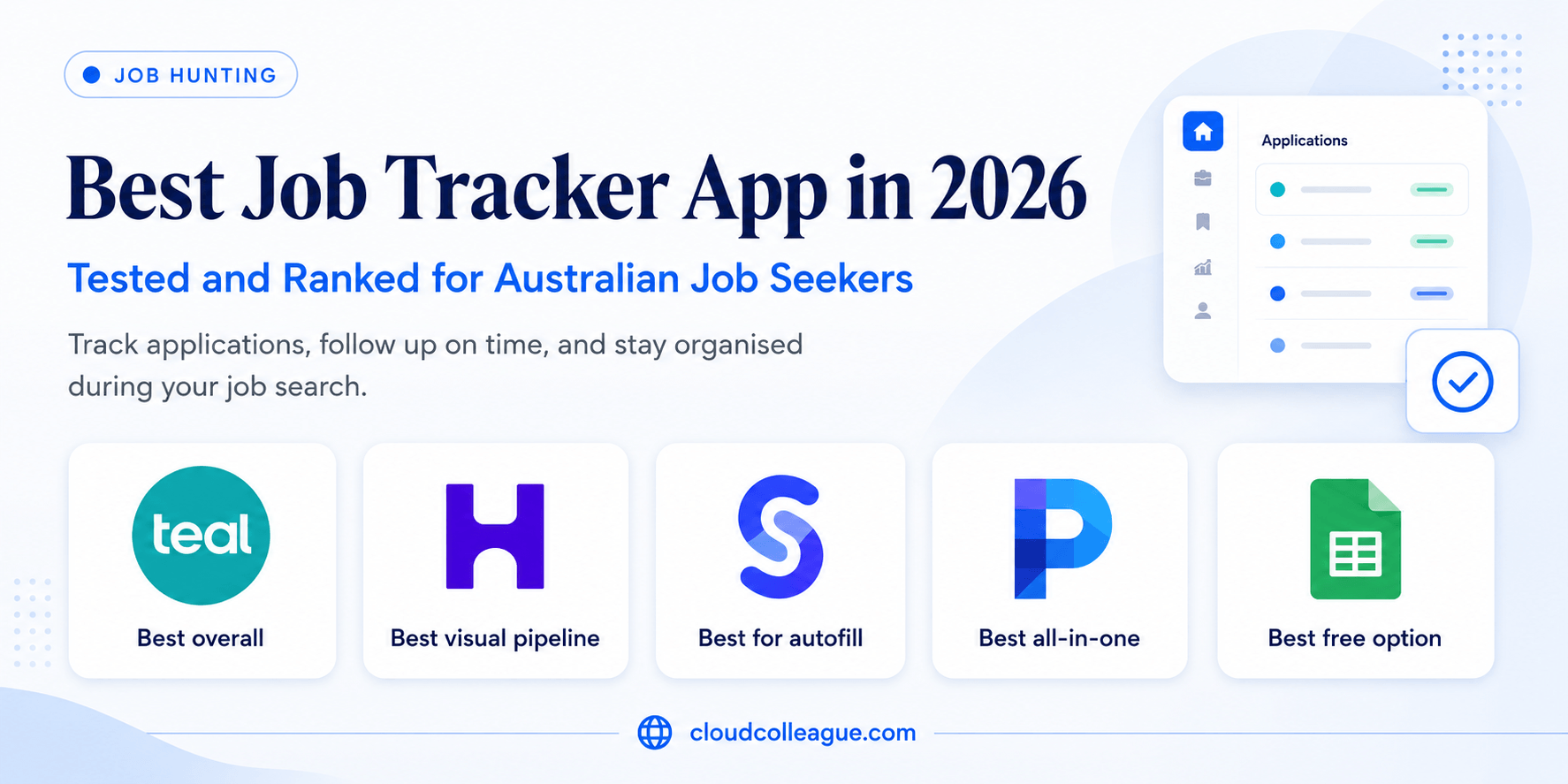
1. Teal: Best Overall for Australian Job Seekers
Teal ranks first for Australian users because it is the only tracker in this list where the Chrome extension explicitly and reliably saves jobs from SEEK. That single feature makes it more relevant to the Australian market than any other dedicated tracker tested.
The SEEK integration works the same way as its LinkedIn and Indeed integrations: one click on a SEEK listing captures the job title, company name, full job description, and URL directly into your Teal workspace. The saved job description then powers Teal’s keyword gap analysis feature, which compares your resume against the role and identifies the specific terms you are missing before you apply.
This combination of SEEK compatibility and ATS keyword analysis is the most directly useful pair of features for Australian job seekers that any tracker currently offers.
The free tier is genuinely unlimited for job tracking and keyword gap analysis. You can run a complete job search inside Teal without spending anything on the tracking and keyword side. The paywall appears when you need AI-generated bullet point suggestions, full resume tailoring credits, and certain export features.
SEEK compatibility:
Confirmed via Chrome extension.
Free plan: Unlimited job tracking and keyword gap analysis per job description. AI resume tailoring credits restricted on the free tier.
Pipeline: List-based application status management with a weekly activity dashboard showing applications sent, responses received, and follow-up tasks due.
ATS integration: Keyword gap analysis per job description is the strongest of any free tracker tested.
Genuine limitations:
- Checklist-driven workflow slows down high-volume applicants who need to move quickly across many applications
- AI-generated bullet point suggestions are structurally correct but often sound generic and need significant manual editing
- Less visual than Huntr for candidates who prefer a Kanban pipeline overview
Pricing in AUD: Free tier covers most use cases. Teal Plus approximately AUD $45 per month at current exchange rates.
Best for: Australian job seekers applying to a focused set of targeted roles who want keyword alignment per application alongside pipeline management, particularly those using SEEK as their primary job board.
2. Huntr: Best Visual Pipeline for High-Volume Applicants
Huntr’s Kanban board is the most intuitive visual pipeline of any tracker tested. If you are managing many simultaneous applications and need to see every application’s status at a glance without scrolling through a list, Huntr delivers this faster and more clearly than any other tool.
The visual pipeline is genuinely well-designed. You drag cards between columns (Saved, Applied, Phone Screen, Interview, Offer, Rejected) and the board updates instantly. At a glance, you see exactly where each application stands without opening any individual record.
Below the pipeline, Huntr’s CRM layer tracks contacts, notes, and communications per employer alongside each application card. For networking-heavy searches where you are managing relationships with recruiters and hiring managers at multiple companies simultaneously, this contact layer is a meaningful productivity tool.
The Chrome extension includes autofill capability on Workday and Greenhouse application forms. These are two of the most common ATS platforms among large Australian employers in banking, professional services, and resources. For Australian job seekers applying to major corporate employers through these portals, the autofill saves several minutes per application across a high-volume search.
SEEK compatibility:
Chrome extension saves from SEEK and major job boards.
Free plan: Up to 40 job applications. Not unlimited, despite some competitor articles claiming otherwise. Active job seekers applying to many roles per week can hit this limit within two to three weeks.
Pipeline: Kanban visual board with drag-and-drop stage management. Most intuitive visual experience of any tracker tested.
CRM layer: Contact management per employer alongside each application. The strongest contact tracking feature of any tool in this list.
Autofill: Workday and Greenhouse form autofill via Chrome extension.
Genuine limitations:
- 40-application free plan limit is hit quickly by high-volume applicants
- ATS keyword gap analysis is less detailed than Teal
- Paid plan required for unlimited applications and full AI features
Pricing in AUD: Free up to 40 applications. Paid plan approximately AUD $45 per month at current exchange rates.
Best for: High-volume Australian applicants who need visual pipeline management and networking contact tracking across many simultaneous applications, particularly those targeting large corporates using Workday and Greenhouse.
3. Simplify: Best for Reducing Application Form Fatigue
Simplify addresses a specific and real pain point: the time spent filling out the same information on every employer’s application portal. Its Chrome extension autofills application fields across more than 100 employer portals, including Workday, Greenhouse, iCIMS, and Lever.
For Australian job seekers applying to large corporate employers in banking, mining, professional services, and technology, these portals are the standard application gateway. Filling out the same fields (name, contact details, education, work history) on every individual portal is one of the most frustrating parts of a high-volume job search. Simplify removes most of this repetition.
The core tracking and autofill features are genuinely free with no application cap. This makes Simplify the most accessible fully-free option for high-volume applicants who prioritise autofill over ATS analysis.
SEEK compatibility: Chrome extension saves from SEEK.
Free plan: Genuinely unlimited job tracking and autofill at no cost. No application cap.
Autofill: More than 100 employer portals including major platforms used by Australian corporate employers.
Pipeline: Basic application status tracking. Less visual and less detailed than Huntr.
Genuine limitations:
- Resume tailoring and ATS keyword analysis significantly weaker than Teal
- CRM contact layer lighter than Huntr
- Less structured workflow guidance than Teal’s checklist approach
Pricing: Free for core tracking and autofill. Premium AI features available on paid plan.
Best for: Australian job seekers applying to many large corporate roles through Workday and Greenhouse portals who want to eliminate repetitive form filling at zero cost.
4. Prentus: Best All-in-One for Freshers and Early Career
Prentus combines job tracking with AI-generated resume and cover letter tailoring and voice-based mock interview practice per saved role. For freshers and early career job seekers who need to build application materials from scratch for every role, this all-in-one approach reduces the number of tools in the workflow.
The voice mock interview feature is the most distinctive element. Once you save a job and generate application materials, Prentus pulls real interview questions from the job posting and runs a voice-powered practice session. For freshers who have never done a professional interview before, this integrated practice step is genuinely useful.
The limitation is that AI output at every step needs careful review. The resume tailoring, cover letters, and interview question suggestions all follow predictable patterns that benefit from personalisation before submission.
SEEK compatibility: Chrome extension saves from SEEK and major job boards.
Free plan: Unlimited job tracking. AI features (resume generation, cover letter, mock interview) limited to a set number of monthly generations.
AI features: Resume tailoring, cover letter generation, and voice mock interview per saved role. Most comprehensive AI integration of any tracker tested.
Pipeline: Kanban board with application status management.
Genuine limitations:
- AI-generated content needs significant manual editing before submission
- All-in-one approach adds complexity for job seekers who only need simple pipeline management
- Monthly AI generation limits on the free plan
Pricing in AUD: Free tier available. Paid plan from approximately AUD $20 per month at current exchange rates.
Best for: Freshers and early career Australian job seekers who want one tool covering tracking, AI-assisted application materials, and interview preparation without managing multiple separate platforms.
5. Google Sheets: Best Free Option for Focused Searches
Google Sheets earns a place in this list because it is the genuinely right answer for a significant proportion of job seekers: anyone applying to fewer than 15 roles who wants zero cost, zero learning curve, and complete control over their data.
A simple five-column tracker (Company, Role Title, Date Applied, Status, Next Follow-up) covers the core tracking needs of any focused search. You can add columns for contact name, resume version used, interview date, and notes as needed. The data is yours, exports to any format, and has no application limit or subscription to manage.
The limitations are real: no automatic follow-up reminders, no ATS keyword analysis, no autofill, and no pipeline visualisation beyond what you manually colour-code. For simple searches, none of these matter enough to justify the overhead of a dedicated tool.
Cost: Free forever with a Google account.
SEEK compatibility: Manual entry (no Chrome extension).
Genuine limitations:
- No automatic reminders, ATS analysis, autofill, or visual pipeline
- Manual entry only: every application must be logged by hand
- No mobile app: works on mobile browser but not optimised for on-the-go updates
Best for: Australian job seekers applying to fewer than 15 roles at any one time who want zero cost and zero learning curve. Also the right answer for CloudColleague users whose application management needs are largely covered by the platform’s built-in tracking.
Tracking your applications is only useful if you are applying to the right roles. Browse AI-matched Australian jobs on CloudColleague. Be ahead of others and browse tasks on CloudColleague an start to bid on tasks.
Head-to-Head Comparison: Best Job Tracker Apps in 2026
Here is how all five tools compare across the criteria that matter most to Australian job seekers.
| Criteria | Teal | Huntr | Simplify | Prentus | Google Sheets |
| SEEK compatibility | Yes | Yes | Yes | Yes | Manual only |
| Free application limit | Unlimited | 40 jobs | Unlimited | Unlimited | Unlimited |
| Visual Kanban pipeline | No (list) | Yes | Basic | Yes | No |
| ATS keyword analysis | Best | Basic | Basic | Good | None |
| Autofill | No | Workday, Greenhouse | 100+ portals | No | No |
| CRM contact layer | Basic | Best | Basic | Basic | Manual |
| Mobile experience | Good | Best | Good | Good | Basic |
| Pricing (paid, AUD) | ~$45/mo | ~$45/mo | Free/Paid | ~$20/mo | Free forever |
As the table shows, no single tool wins across every criterion. Consequently, the right choice depends on your search volume, style, and the specific features that address your biggest bottleneck.
Platforms like CloudColleague helps you to apply jobs and land your dream job. Learn How to Apply for Jobs on CloudColleague.
Which Job Tracker App Should You Choose? A Clear Decision Framework
1) Choose Teal If:
- SEEK keyword alignment and ATS optimisation are your primary goals
- You want unlimited free tracking with the strongest keyword gap analysis of any free tool
- You apply to a focused set of targeted roles and tailor your resume per application
- A structured, methodical workflow suits your approach
2) Choose Huntr If:
- You are applying at high volume and need a visual Kanban pipeline overview at all times
- Your search is networking-heavy and requires CRM-style contact tracking per employer
- Workday and Greenhouse autofill would save meaningful time across your applications
- You want the best mobile app experience for updating your pipeline on the go
3) Choose Simplify If:
- Reducing repetitive form filling on employer application portals is your biggest pain point
- You apply to many large corporate roles through Workday, Greenhouse, iCIMS, or Lever
- You want the most capable free autofill tool with no application cap at zero cost
- ATS keyword analysis is less important to you than application speed
4) Choose Prentus If:
- You are a fresher or early career job seeker building application materials from scratch
- You want one integrated tool covering tracking, AI resume tailoring, and mock interview practice
- You are comfortable reviewing and personalising AI-generated content before submitting
Use Google Sheets If:
- You are applying to fewer than 15 roles at any one time
- You want zero cost, zero learning curve, and complete ownership of your data
- You use CloudColleague as your primary search platform, where application tracking is built into the platform
What Australian Job Seekers Specifically Need to Know
SEEK compatibility is the most important criterion when evaluating any job tracker not in this list. All five tools above support SEEK job saving in some form. Before committing to any other tracker you encounter, confirm SEEK Chrome extension support explicitly, as most global tools are built around LinkedIn, Indeed US, and Glassdoor.
Workday and Greenhouse are the most common ATS platforms among large Australian employers in banking, mining, professional services, and technology. Simplify’s autofill covers both at no cost. Huntr’s autofill covers both on its paid plan. For Australian job seekers targeting major corporate employers through these portals, either tool saves meaningful time across a high-volume search.
CloudColleague’s built-in application management centralises tracking for roles applied to through the platform. Job seekers whose primary search runs through CloudColleague will find that a significant portion of their tracking need is already covered. A Google Sheets supplement for applications submitted elsewhere is often sufficient.
For Australian Graduate Program applicants using GradConnection, all five tools support manual entry of application details. None currently offer native GradConnection integration, which is standard across the market. Log graduate program applications manually in whichever tracker you choose.
Pricing on all paid plans is in USD. At current exchange rates, Teal Plus and Huntr’s paid plan both convert to approximately AUD $45 per month. Prentus’s paid plan converts to approximately AUD $20 per month. Factor these AUD equivalents into your budget assessment rather than the USD headline prices.
How to Set Up Your Job Tracker for Maximum Impact
Choosing the right tool is only the first step. These setup practices ensure you get full value from whichever tracker you choose.
Establish your pipeline stages before logging a single application. Standard stages are: Saved, Applied, Phone Screen, Interview, Assessment, Offer, Rejected, and Ghosted. Having consistent stage names from day one prevents retrospective reorganisation as your pipeline grows.
Log every application within 24 hours of submitting. Memory is unreliable for the specific details that matter: which resume version you submitted, the exact date you applied, and what the job description said before it was taken down.
Set a follow-up reminder for every application at seven business days after submitting. Research consistently shows that candidates who follow up are significantly more likely to receive responses. Every tracker in this list supports manual reminder notes. Huntr and Teal have built-in follow-up date fields.
Record the recruiter’s name and contact details at the first point of contact. In Huntr, use the CRM contact layer. In Teal or Simplify, use the notes field on each application card. Rebuilding this information later from memory is time-consuming and error-prone.
Review your full pipeline every Monday morning. Check which applications are past the follow-up window, which interviews need preparation this week, and which roles have gone quiet long enough to be closed off. A weekly review prevents applications from falling through the cracks in a busy search.
Tracker configured and ready. Now find Australian roles worth adding to your pipeline. Create a free verified profile on CloudColleague and get AI-matched to employers actively hiring in your field right now.Get started free on CloudColleague
Hiring and need to find the right candidate? Post a role or task in under five minutes on CloudColleague. Smart matching surfaces pre-vetted professionals across every Australian industry.Start hiring on CloudColleague
Frequently Asked Questions
Teal is the best free job tracker for most Australian job seekers. Its free tier includes unlimited job tracking and keyword gap analysis per job description with no application cap. Additionally, Huntr’s free plan covers 40 applications with CRM contact tracking. Simplify offers unlimited free autofill across employer portals. For fewer than 15 roles, Google Sheets remains the right answer.
A spreadsheet works well for most job seekers applying to fewer than 15 roles. A five-column Google Sheets tracker handles company, role, date, status, and follow-up dates effectively. However, a dedicated app adds value above 15 active applications. Additionally, it helps when managing multiple interview rounds or ATS keyword analysis simultaneously.
All four dedicated tools support SEEK job saving through Chrome extensions. Teal, Huntr, Simplify, and Prentus capture SEEK listings in one click. However, Teal offers the tightest SEEK integration because saved descriptions feed its keyword analysis directly. Crucially, confirm SEEK Chrome extension support before committing to tools outside this article.
Huntr and Simplify suit high-volume searches best. Huntr’s Kanban pipeline handles many simultaneous applications more cleanly than list interfaces. Additionally, Simplify’s autofill covers more than 100 employer portals at no cost.
Teal suits job seekers prioritising ATS keyword alignment, mainly through its SEEK integration. However, Huntr suits those prioritising visual pipeline management and Workday or Greenhouse autofill. Both charge approximately AUD $45 monthly on paid plans. Instead of guessing, test both free tiers for a week.