Virtual interviews now dominate hiring, and for remote jobs they are the entire process. Over 80 percent of companies use video interviews for at least one stage, and remote roles run almost entirely on screen. So your ability to perform on camera is no longer optional. It is the skill that decides whether you move forward.
The bar has also risen sharply. After years of video calls, interviewers no longer excuse repeated tech glitches or a sloppy setup. They expect you to show up polished, prepared, and clearly able to work remotely. That last point matters most for remote jobs, because the interview itself is a preview of how you will work.
This complete guide gives you practical virtual interview tips for 2026. You will learn how to set up your space, present well on camera, and prove you can thrive in a remote role. By the end, you will walk into your next video interview ready to stand out.
| Want a head start? Start as a seeker on CloudColleague, go through our interview tips and start applying from today. |
Why Virtual Interviews Are Different?
A virtual interview is not just a phone call with video. It blends two things at once: the content of your answers, and how you come across on screen. So you must manage your words, your setup, and your presence together.
This adds a layer of complexity that in-person interviews do not have. Your lighting, your background, and your connection all shape the impression you leave. A small glitch can distract the interviewer, and research suggests even minor disruptions lower how candidates are rated. As a result, preparation now extends well beyond rehearsing answers.
There is also a deeper signal at play with remote roles. The interview is a live demonstration of how you communicate through a screen. Employers watch closely, because that is exactly how you will work if hired. So treat the call as a preview of your remote skills, not just a conversation.
| Want to skip interviews? CloudColleague also provides professionals an option for freelance tasks. Go through guides on tasks and how bidding works to more about online and freelance tasks. |
How to Set Up for a Virtual Interview?
Your setup is the foundation of a strong virtual interview, so build it carefully. The goal is simple: remove every distraction and technical risk before the call begins. When your setup is solid, you can focus fully on the conversation.
Below are the core elements to get right. Work through each one a day before the interview, not minutes before. That small habit prevents most common problems.
Test Your Tech (the 24-Hour Rule)
Technology issues are the fastest way to derail a virtual interview. So test everything 24 hours in advance. Check your camera, microphone, and internet connection, then run a full practice call with a friend. This catches problems you would never spot alone.
Prepare a backup too, because connections fail at the worst moments. Keep a second device, such as a phone or tablet, with the interview platform already installed. Have a mobile hotspot ready in case your Wi-Fi drops. Finally, log in 15 to 20 minutes early to handle any updates or last-minute glitches.
Lighting and Background
Your background speaks before you say a word. So choose a clean, uncluttered space with neutral colours. A tidy, simple backdrop keeps the focus on you, not your room.
Lighting matters just as much. Natural light works best, so face a window when you can. If that is not possible, place a lamp or ring light in front of you to light your face evenly. Avoid sitting with a bright window behind you, because it turns you into a silhouette. A virtual background is fine if your space is messy, but keep it simple and professional.
Audio and Environment
Clear audio is non-negotiable, since the interviewer needs to hear every word. Test how your voice sounds by recording yourself the day before. Then adjust your microphone or position until it is crisp. Headphones with a built-in mic often improve clarity.
Your environment matters too. Choose a quiet, comfortable, distraction-free space where you will not be interrupted. Ask others in your household to pause streaming or gaming during the call, so your bandwidth stays stable. If you have pets or children, plan around them in advance.
Keep Your Materials Within Reach
One quiet advantage of virtual interviews is that you can use notes. So prepare them and place them near your camera. Keep short prompts about the company, the role, and your key examples within a quick eye movement, not somewhere that makes you look away.
Have a few practical items within arm’s reach as well. Keep a notebook and pen to jot down details about the role and the next steps. This shows you are engaged, and it gives you useful information later. A glass of water is also wise, since interviews can run long.
Read Next: Common Interview Mistakes to Avoid in 2026
On-Camera Body Language and Eye Contact
Body language carries even more weight on screen than in person. The camera flattens your energy, so you need to project a little more. With a few habits, you can come across as confident and engaged.
Start with eye contact, which is the most common slip. Look directly at the camera lens, not at the interviewer’s face on your screen. This simulates genuine eye contact and builds connection. It feels unnatural at first, so practise it before the day.
Then mind your posture and gestures. Sit upright with relaxed shoulders, and avoid slouching or leaning back. Use expressive but calm hand gestures to show enthusiasm, and smile naturally. Your “digital handshake” is the first few seconds, so greet the interviewer warmly and clearly.
Timing also changes on video. A slight lag can cause you to talk over the interviewer accidentally. So pause briefly before answering, and practise transitioning smoothly between listening and speaking. This keeps the conversation natural rather than choppy.
How to Dress for a Virtual Interview?
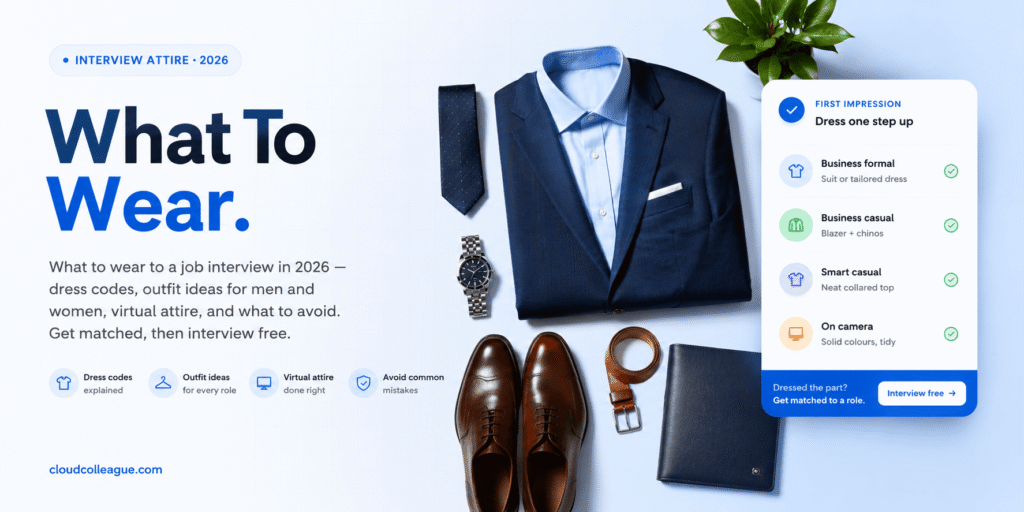
It can be tempting to dress only from the waist up. Resist that, and dress fully and professionally from head to toe. If you need to stand, a half-dressed look is embarrassing and unprofessional.
Match your outfit to the company’s culture, just as you would in person. A formal corporate role calls for formal attire, while a creative or casual workplace allows a smarter-casual look. When in doubt, dress slightly more formally than the company’s everyday norm.
Remote Job Interview Tips: Proving You Can Work Remotely
Here is the strand that sets remote interviews apart. Employers hiring for remote roles want clear evidence that you can thrive without an office around you. So use the interview to demonstrate that, not just to answer questions.
Prepare specific examples that prove your remote-readiness. Show how you have managed projects virtually, collaborated with distributed teams, and stayed accountable while working independently. Concrete stories are far more convincing than claims like “I am self-motivated.” Numbers and outcomes make them stick.
You should also research the company’s remote culture before the call. Some organisations run daily video check-ins, while others focus purely on results-based accountability. Tailor your examples to match their approach, which shows you have done your homework. It also signals that you will fit how they actually work.
Finally, lean into the tools and habits of remote work. Mention how you use communication platforms, document your work, and manage different time zones. Highlight your written communication, since remote teams rely on it heavily. Together, these signals tell employers you will be productive from day one.
Common Remote Interview Questions
Remote roles come with their own set of questions, so prepare for them specifically. Interviewers want to understand how you operate without direct supervision. Each question is really probing your remote-readiness.
Expect questions like “How do you stay productive working from home?” and “How do you communicate with a distributed team?” You may also hear “How do you handle distractions or different time zones?” Answer each with a real, structured example, using the STAR method where it fits. For the wider set of questions to prepare, see our guide to common interview questions. The opener also trips up many candidates, so review how to answer tell me about yourself.
Read Next: Top 20 Interview Questions and Answers (2026)
Types of Virtual Interviews and How to Prepare?
Not all virtual interviews are the same, so prepare for the format you will face. Each type has its own quirks and demands. Knowing them in advance keeps you calm and ready.
Live Video Interviews
This is the most common format, conducted in real time. Treat it exactly like an in-person interview, with full preparation and presence. Apply every setup and body-language tip above. The only difference is the screen between you.
One-Way or Asynchronous Video Interviews
A growing number of companies use recorded, one-way interviews as a first round. You answer set questions on camera, often with limited time and no live interviewer. So practise on camera beforehand, and review your playback for pacing and clarity. For a deeper look at this format, see our guide to interview preparation.
Phone Screens
Some early rounds are voice only, with no video at all. Smile while you speak, because it genuinely warms your tone. Keep your notes handy, and find a quiet space with strong reception. Treat it with the same seriousness as a video round.
During the Interview: Staying Engaged on Screen
Once the call begins, your job is to stay present and engaged. That is harder on screen, where it is easy to drift or multitask. So bring your full attention to the conversation.
Listen actively, and show it with small nods and brief notes. Keep your answers concise and structured, and lead with the point. Avoid checking other tabs or your phone, because interviewers can tell when your focus slips. When the time comes, have three or four thoughtful questions ready to ask.
Energy also matters more than you might expect. The camera mutes enthusiasm, so let yours show a little more than usual. Speak clearly, vary your tone, and stay warm throughout. A genuinely engaged candidate stands out instantly on video.
Virtual Interview Mistakes to Avoid
Even with a strong setup, a few avoidable errors can hurt you. Common slips include glitchy tech, looking at the screen instead of the camera, and a cluttered background. For the full list of errors and how to fix them, see our guide to interview mistakes.
After the Virtual Interview
The interview is not over when you close the laptop. What you do next still shapes the outcome. So follow up thoughtfully.
Send a short, genuine thank-you note within a day. Reference something specific from the conversation, so it feels personal rather than generic. Then wait patiently for a reply, and avoid chasing too aggressively.
Take a moment to reflect as well. Note what went smoothly and what you would change about your setup or answers. This turns every interview into practice for the next one. Over time, your on-camera confidence grows quickly.
Practise on Camera and Get Matched to Remote Roles
Here is the truth about virtual interview tips. Reading them is helpful, but the real gains come from practising on camera, with real roles in sight. Familiarity removes the nerves that cause most mistakes.
CloudColleague helps you do exactly that. You build your profile, get matched to remote and hybrid Australian roles, and rehearse through built-in video and chat interviews. That means you can fine-tune your setup, body language, and answers before they count. Browse live remote jobs to find roles that fit your skills.
If you are new to the country or the local market, preparation matters even more. Our guide for those starting their first job in Australia can help you get ready with confidence.
| Are you actively hiring? Start as an employer on CloudColleague and start hiring from today. |
Ready for the interview?
Strong virtual interview tips come down to three things: a flawless setup, confident on-camera presence, and clear proof that you can work remotely. Test your tech early, light your face well, and look at the lens. Then back your answers with real examples of thriving in a distributed team. So prepare your space, practise on camera, and show employers you are ready for remote work.
| Ready to shine on camera? Create your free CloudColleague profile and start practising for remote roles. |
Frequently Asked Questions
Test your tech 24 hours ahead, set up clean lighting and a neutral background, and choose a quiet space. Prepare notes near your camera, dress fully, and practise looking at the lens. Then research the company and rehearse your answers.
Use a clean, uncluttered, neutral background that keeps the focus on you. Face natural light or a ring light so your face is evenly lit. Avoid a bright window behind you, which turns you into a silhouette.
Prepare specific examples of managing projects virtually and collaborating with distributed teams. Highlight your written communication, self-discipline, and use of remote tools. Then tailor your examples to the company’s remote culture.
Look directly at your camera lens, not at the interviewer’s face on the screen. This simulates eye contact and builds connection. It feels odd at first, so practise it before the interview.
You can get matched to remote roles on CloudColleague and rehearse through the platform’s built-in video and chat interviews. This helps your setup and delivery feel natural when it counts.