Searching for remote work tools Australia actually needs gets you the same result every time. Forty apps, endless comparisons, total overwhelm. Most of those lists are written for Americans anyway. Here is the truth: you need about eight tools, chosen for Australian conditions.
This blog gives you that lean stack. You will get the free versions, the internet speeds that matter, and the tax angle nobody mentions. By the end, your kit will be ready. Then we will point it at paid work.
| Want a head start? Go through CloudColleague‘s guide on remote jobs., |
The Remote Work Tools Australia’s Workers Actually Need
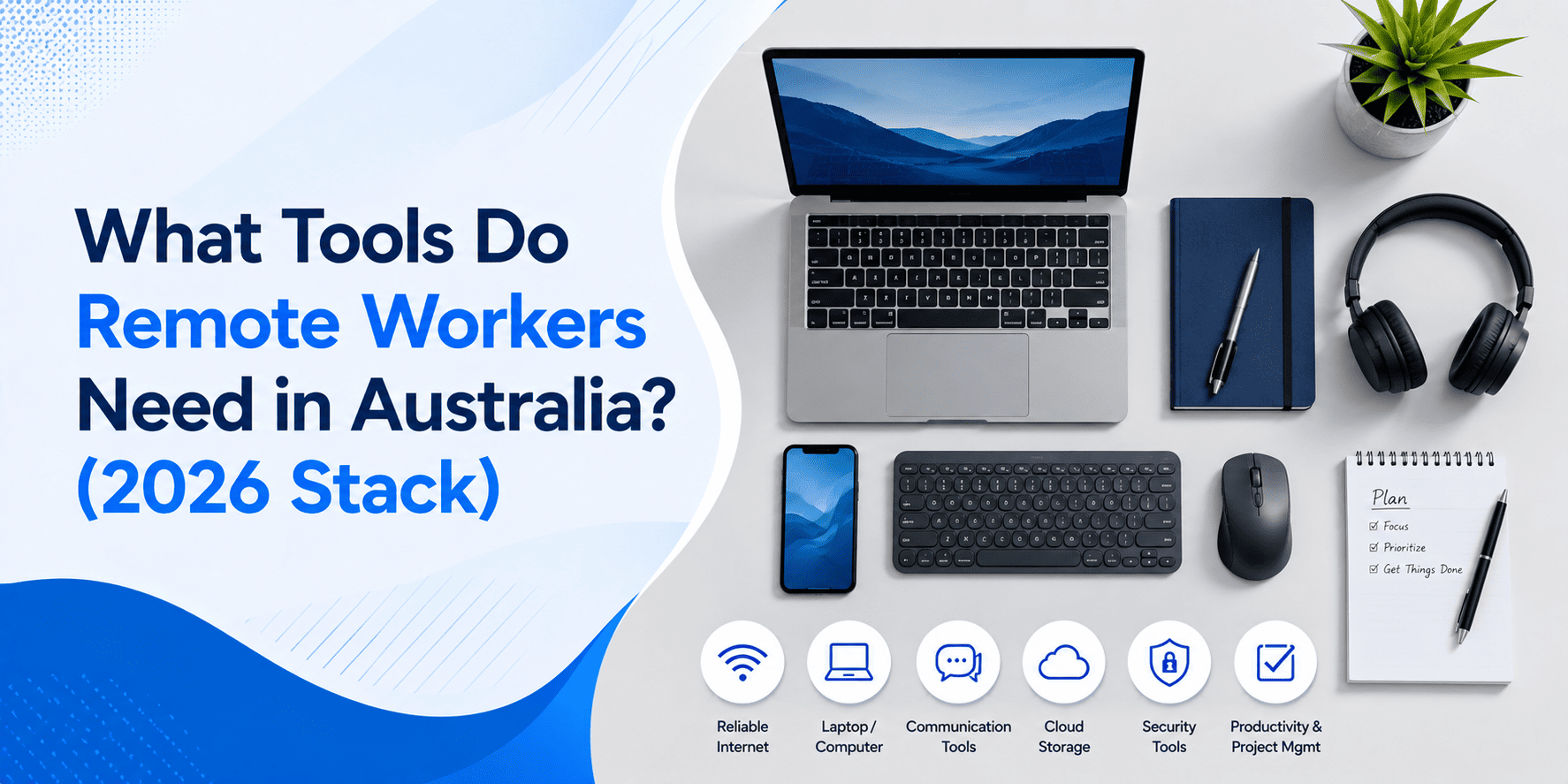
Remote workers in Australia need six essentials. They are reliable NBN internet, a video tool, a chat tool, cloud documents, a password manager, and a task tracker. Most offer capable free tiers. Everything else is optional until a specific job demands it.
That is the whole list. Anyone selling you more is usually selling you something. Therefore, start lean and add tools only when real work requires them. Your wallet and your focus will both thank you.
Your Core Stack, Category by Category
Here is each category, the leading options, and how to pick fast.
| Category | Top options | Free tier? |
| Video calls | Zoom, Microsoft Teams, Google Meet | Yes |
| Team chat | Slack, Teams | Yes |
| Documents and cloud | Google Workspace, Microsoft 365 | Partial |
| Tasks and time | Trello, Toggl | Yes |
| Security | Bitwarden, 1Password, 2FA apps | Yes |
Video and Chat
Pick one video tool and one chat tool, then stop. Zoom remains the interview default across Australian employers. Slack dominates team chat, while Teams bundles both for Microsoft workplaces. Crucially, learn one well rather than three badly.
Documents and Cloud Storage
Google Workspace and Microsoft 365 both handle documents, spreadsheets and file sharing. Your employer’s choice will decide yours eventually. Until then, a free Google account covers almost everything a beginner needs.
Tasks and Time Tracking
Trello organises your work visually with zero learning curve. Toggl tracks billable hours, which matters once you take contract or task work.
Security Tools Employers Quietly Screen For
Here is the category every listicle skips. Remote workers handle business data from home networks. Consequently, a password manager and two-factor authentication are non-negotiable in 2026. Mentioning them in interviews signals professionalism instantly. Bitwarden is free and excellent.
What NBN Speed Do You Need to Work From Home?
For video calls, aim for at least 25 Mbps download and 5 Mbps upload. That means an NBN 25 plan minimum, though NBN 50 gives comfortable headroom. Upload speed matters most, because video calls send your feed constantly. Test your real speed before your first interview, not during it.
| Good news: your interview software is already sorted. CloudColleague has video and chat interviews built into the platform. A browser and decent NBN are all you need to get hired. |
Free Remote Work Tools to Start With Zero Budget
Starting with no income? Your entire starter kit costs nothing.
- Google Meet and Gmail for calls and professional email
- Google Docs and Drive for documents and storage
- Trello for organising applications and tasks
- Bitwarden for password security
- Toggl for tracking hours once paid work starts
That stack would have cost serious money a decade ago. Today it is free, which removes your last excuse. Starting without a track record too? Our guide on getting a remote job with no experience breaks the experience loop as well.
| Now add the only tool that pays you. A free verified CloudColleague profile brings AI-matched jobs and paid tasks with same-day Stripe payouts. Start as a seeker today. |
Can You Claim Remote Work Tools on Tax in Australia?
Generally, yes. The ATO allows deductions for the work-related portion of tools you buy yourself. That can include software subscriptions, internet costs and equipment used for earning income.
Two methods exist. The fixed-rate method covers running costs like internet through a set hourly rate. The actual-cost method claims the real work-related percentage of each expense instead. Either way, records are everything, so keep receipts and note your work usage.
One warning before you claim anything. Employer-reimbursed tools are not deductible, and personal-use portions never count. This is general information only, not tax advice. Check the ATO website or a registered tax agent for your situation. And to see what remote income you are protecting, our Australian salary guide has the benchmarks.
Tools Employers Expect You to Already Know
Your stack is also a hiring signal. Australian employers assume you can join a video call punctually, share a document properly, and communicate in chat professionally. Nobody teaches this in the job ad. If your basics feel shaky, our guide to basic computer skills for work covers every fundamental. Master those, and your tools become proof of readiness rather than icons on a screen.
The Last Tool You Need Is Where the Work Is: CloudColleague
Let us be honest about tool lists. The best stack on earth earns nothing by itself. Tools only matter once real work flows through them.
That is the gap CloudColleague closes. Your free verified profile takes minutes to create. AI-matched recommendations then bring remote jobs and tasks suited to your skills. Built-in video and chat interviews mean no extra software, ever. And when you complete paid tasks, same-day Stripe payouts land the money fast.
So finish your setup properly. Six tools, one connection, and one platform where Australian businesses are already hiring. For the bigger picture of thriving once hired, our complete online task work guide covers routines and long-term success.
| Your stack is ready. Put it to work. Sign up free on CloudColleague and get matched with verified remote jobs and paid tasks today. |
Frequently Asked Questions
You need six essentials. They are NBN internet, a video tool, a chat tool, cloud documents, a password manager, and a task tracker. Most offer free tiers. Employers typically provide any specialised software once you are hired for a role.
Aim for at least 25 Mbps download and 5 Mbps upload for stable video calls. An NBN 25 plan is the practical minimum, while NBN 50 provides comfortable headroom for households. Upload speed matters most, because video conferencing constantly sends your camera feed.
Often, yes. The ATO allows deductions for the work-related portion of self-purchased software, internet and equipment. You can use the fixed-rate method or claim actual costs with records. Employer-reimbursed items are excluded. Confirm your situation with the ATO or a registered tax agent.
Most remote beginners run entirely free stacks. Common picks are Google Meet, Gmail, Docs and Drive, Trello for tasks, Bitwarden for passwords, and Toggl for time. Platforms like CloudColleague also include free verified profiles with built-in video interviews, removing the need for paid interview software.